Transcription failures

I am having some issues with my images not being transcribed at all - but then Leo is telling me the transcription is complete.

I understand that not all images are clear/perfect candidates for AI transcription but I am interested how you approach these issues in terms of the paid credits? For example, out of the 107 images I have uploaded so far, 34 either did not transcribe anything or provided incomplete transcriptions.

There doesn’t seem to be a feature that indicates when the transcription has been unsuccessful (where no text is provided, for example), and it still takes a credit from my account. How would this work for someone who has paid for the service but may only get 30% of their images transcribed? Is the credit paying for the transcription or the storage of the image?

I saw in another topic that you recommend rotating the image or cropping it into sections - these aren’t features available within Leo itself, which I think is a shame. Going through images in a different programme to Leo to try and adjust it isn’t ideal, particularly if I am paying specifically for this to organise my images. Accessibility wise, offering different screen adjustments (such as contrast/brightness, the option to invert colours?) should be considered to make sure Leo is widely accessible.

How will the credits work for cropped photos? Most of my images are two page spreads - if I need to crop 30% of them, that would mean I have to use double the credits for one image.

These are all just my thoughts from my first few proper uses of Leo - I hope this is the right place to share!

3 Likes

I am having the same issue with Leo just not attempting a transcription at all for a lot of the images I’ve uploaded so far.

2 Likes

Thank you Amelia and Noah for trying Leo out and sharing your feedback! I appreciate you both taking the time to test things and let us know about your experience. Hopefully despite a few bumps along the way, you still got some useful results.

It’d be really helpful if you could keep an eye on the types of images that Leo struggles to produce transcripts for. If you notice any consistent patterns in the nature of the manuscripts, image formats, or other factors, please do share. Amelia’s 32% failure rate is very high for images within our model’s training distribution, so having a more granular understanding of what’s happening here would help us a lot.

When a transcription fails, an error message should appear, and you shouldn’t be charged a credit. But note there are two possible senses in which a transcription can be said to fail:

  • The model knows that it has failed and sends a failed error response
  • The model delivers a response that it thinks was successful but the transcript is blank

It seems like the issue here relates to the second, more challenging case. While we’re looking into this and working on a fix, we’d be happy to top up your account to compensate for any lost credits. Just let us know roughly how many credits were affected, and we’ll sort that out on our end.

Dealing with and detecting transcription failures is a greater technical challenge than it might seem on first glance. From our perspective there are some significant issues to work through:

  • If no credit is charged for transcription failures, then we need a safety mechanism to prevent users overwhelming our system by requesting potentially infinite numbers of transcriptions that are bound to fail. This is because knowing whether a transcription fails actually costs us the same amount in computing power as if a transcription is successful. So we need some way for the system to time out but we wouldn’t want this to affect users who are using the service legitimately.
  • Additionally, and relatedly, it is very difficult for us to get the model to detect whether a transcription has failed. For instance, is the result empty because the uploaded image did not contain any text? In that case, the transcription should be deemed successful. Also, at what point do we define when a transcription is wrong and how can we detect this without developing a model with a superior capability than the one we already have?

Leo ideally would work with two-page spreads, but success can depend on factors like page size and text density. Unfortunately, due to the present constraints of the technology, we can’t make promises about exactly what content would be within the defined scope of a single image.

In preparation for the beta release, our focus has been on ensuring core functionality like this works smoothly before adding extra features. If image editing tools like rotating, cropping, or inverting are things you’d like to see in the future, please post about that here: Feature Suggestions - Leo.

Thanks again for your thoughts—these are exactly the kinds of issues we’re hoping to refine through beta testing. So please continue to provide any further details about when transcription failures occur and whether you’re getting an error message or not. We really appreciate it.
Thanks both for sharing, this is really useful feedback! I’ll add a little to what Jon says.

For your images Amelia: I’ve had a look through the logs and the transcription jobs were technically successful (i.e. no software bugs), but the AI failed to return text in a large proportion of your images. I see that your images are mostly or entirely printed text – I believe what’s going on here is that Leo has been optimised to extract handwriting from images and, when presented with printed text, acts inconsistently (sometimes ‘decides’ at the get-go to transcribe only the handwriting in your image, which is nothing). This is definitely not intended behaviour – in the next AI model release we’ll encourage it to transcribe both printed and handwritten text. The next AI model release should be relatively soon, but we don’t have a scheduled date yet. We’ll keep you posted on this via announcements on this forum.

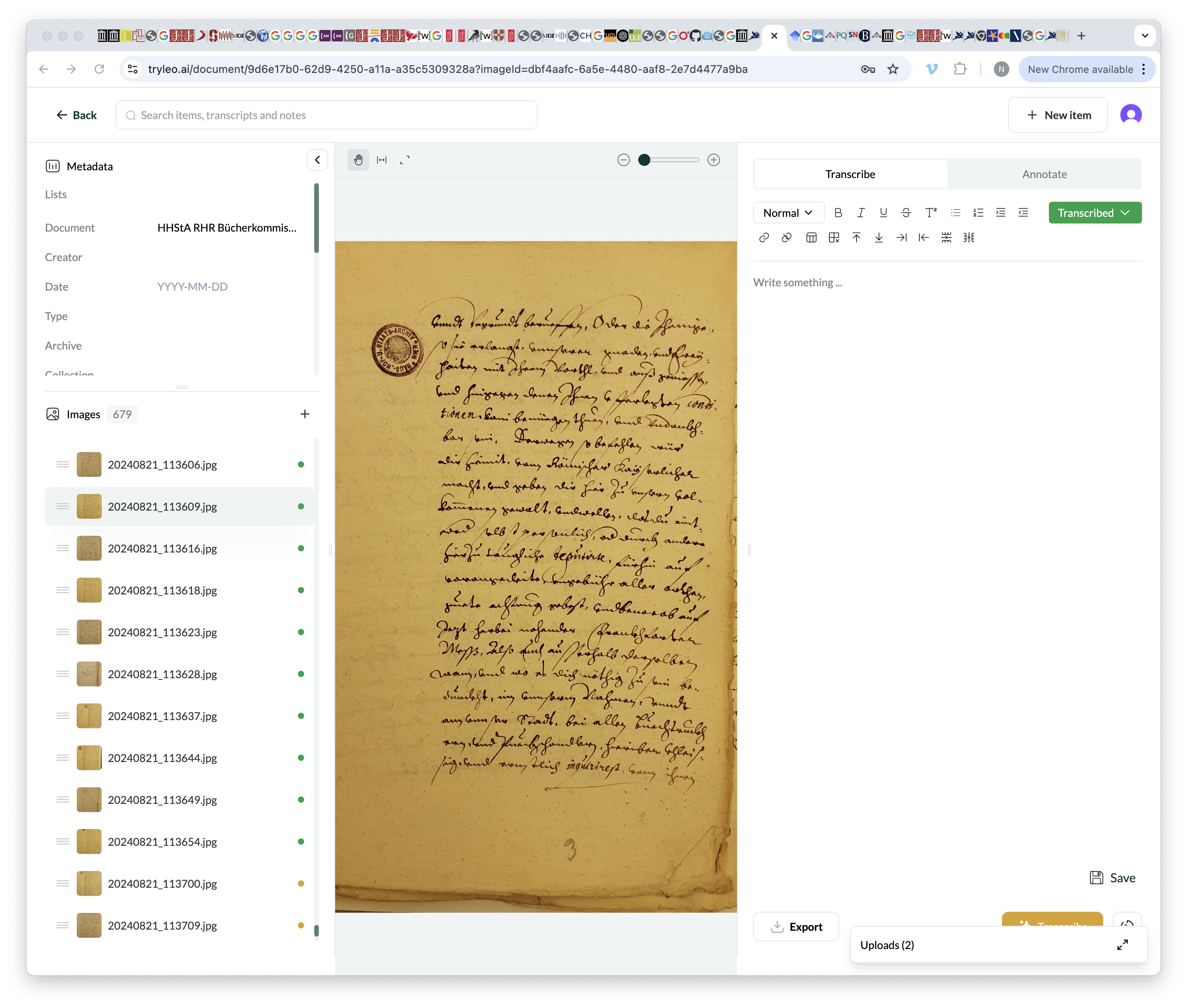
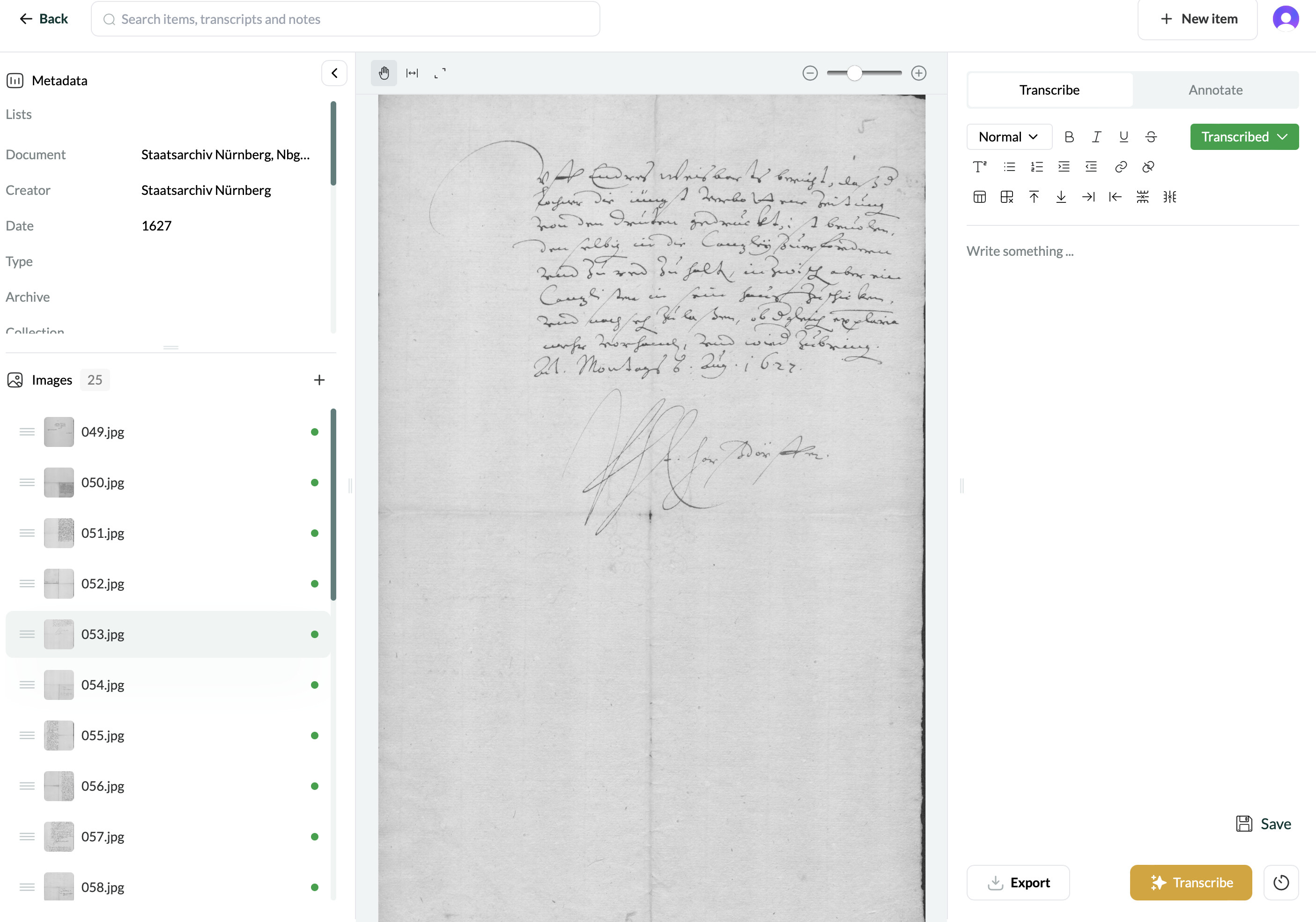
For your images Noah: it looks like your manuscripts are in German and you’ve seen a mix of some blank transcripts and at least one repetitive hallucination. This is generally a sign that the model is struggling because the manuscripts are a little outside its comfort zone compared with what it’s been trained on. We’re working on increasing the model’s accuracy outside of English, so watch this space – we’ll keep you apprised of developments on this again via annoucements.

Thanks again!

I’m having a similar problem with my French manuscripts - Leo seems willing and able to transcribe my Spanish docs but the French ones are beyond it. It says it’s transcribed, but I’m actually getting a blank page.

Thanks for letting us know. Could you provide any more info on the manuscripts in question, i.e. period/ context/ any unusual features?

I’m having the same problem as the other testers, and like Clare, it is only the case with 16/17C French documents. I thought maybe is was just because the first page (on a 2 page spread) was blank, but sometimes it worked for me previously. And I haven’t encountered that yet with Italian documents.

1 Like

A post was split to a new topic: Transcription tests

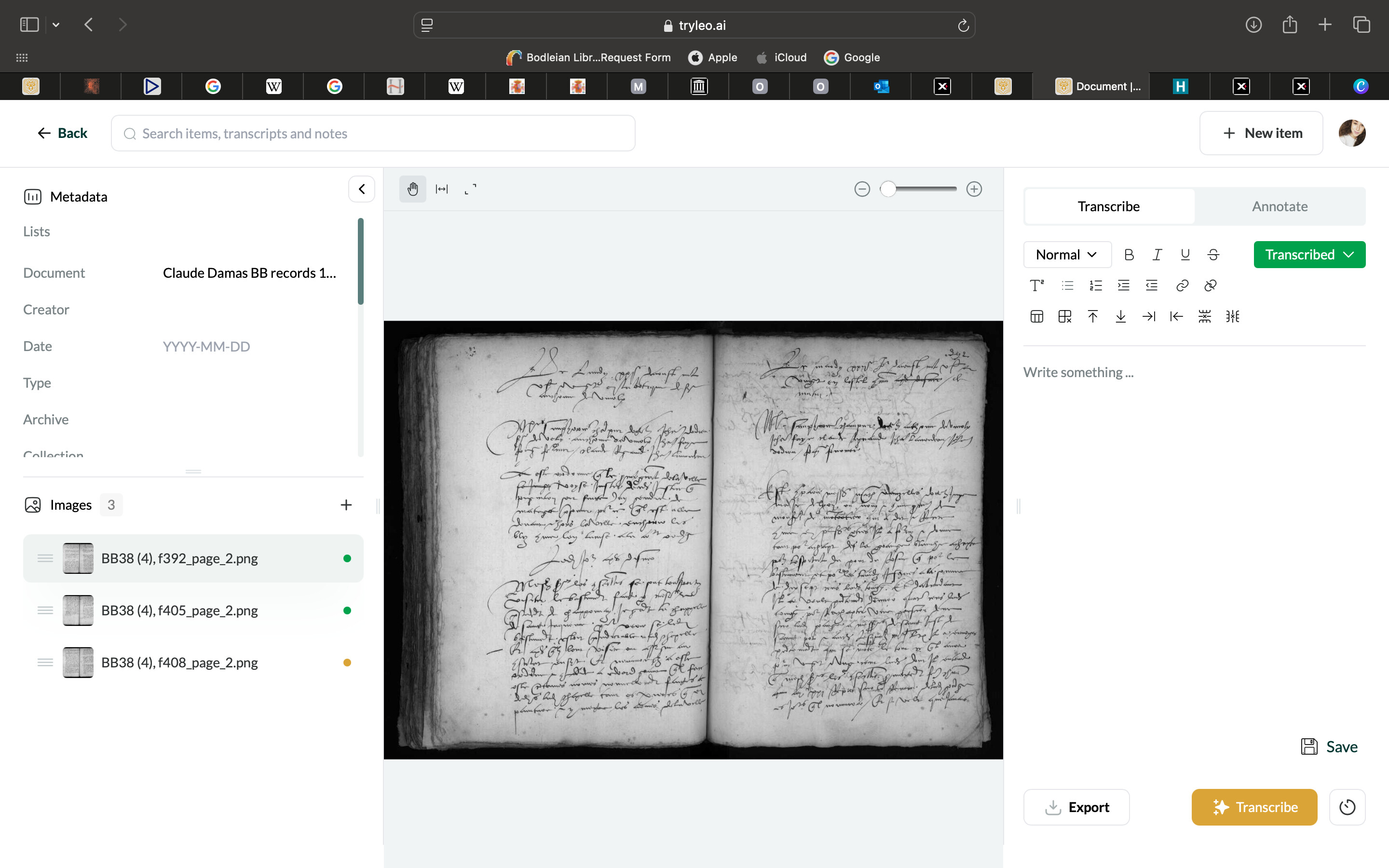
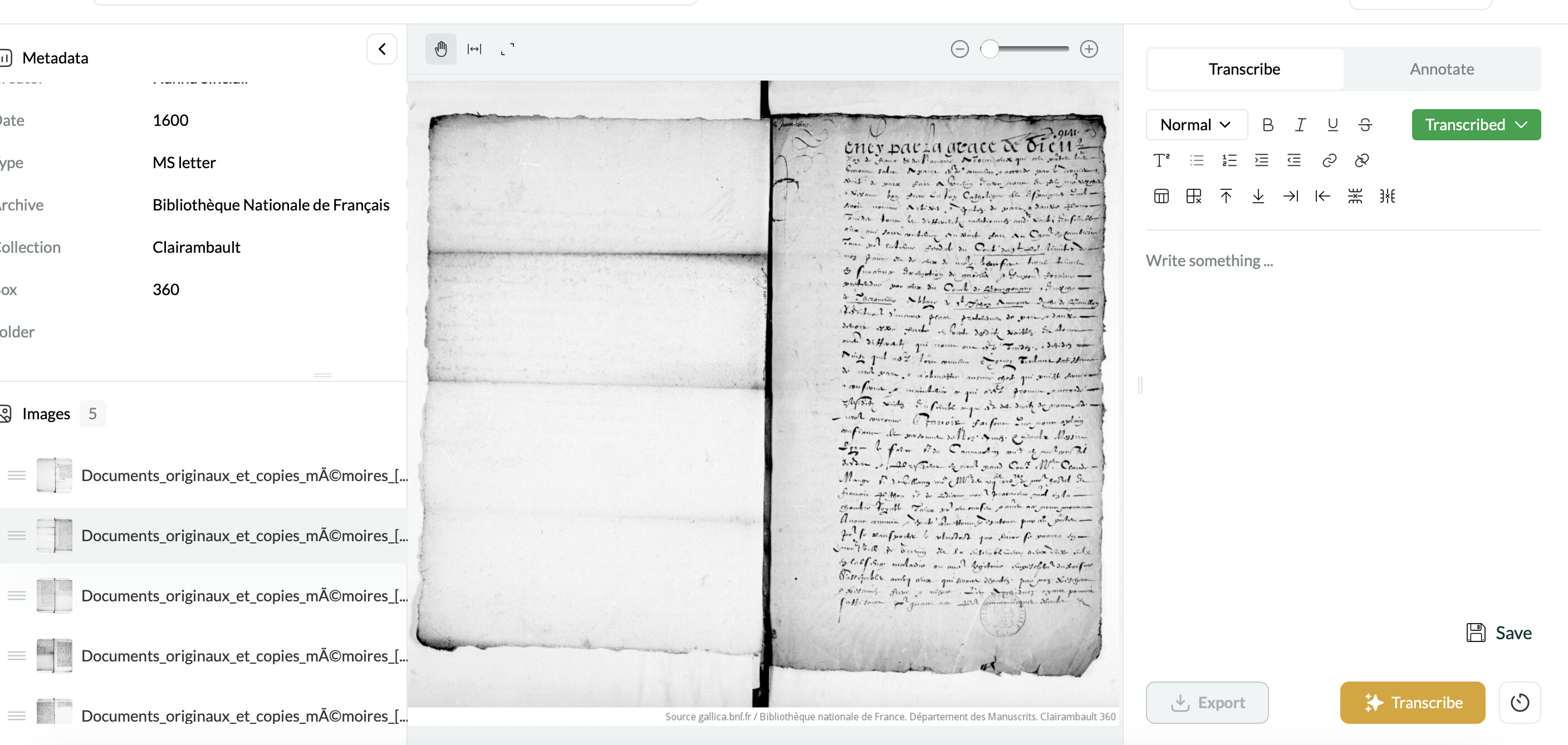
They’re French late 15th/early 16th century documents, usually from local courts or ecclesiastical courts. They are a challenging hand I’ll admit, but that’s why I was so hopeful about the potential of Leo to read them!

For example - it has had absolutely no success here, just hasn’t produced anything despite showing as ‘transcribed’.

1 Like

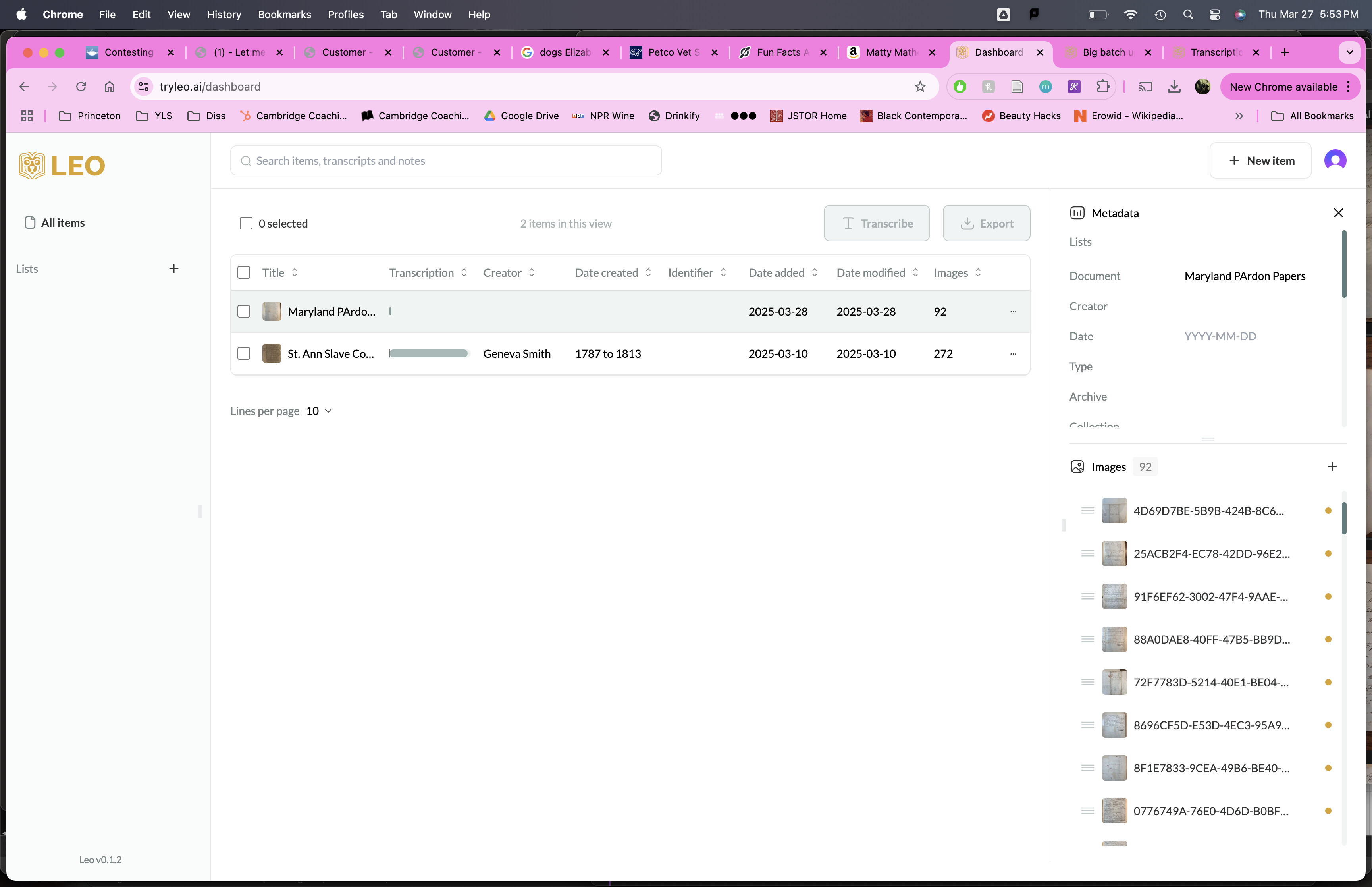
HI, I’m having the same issues of uploading, with no error message but being told that documents have been fetched successfully that nearly none are transcribed so it would be helpful to understand fetching vs transcribing status and the yellow dot versus the green dot. I am working with 18th century english script and have image attached for reference.

I can click on each image individually and hit the AI transcribe button, it works well and then I get the green dot. But I thought there was a way to batch transcribe as well?

Thanks!


1 Like

There is - when you add the documents (say, drag and drop the files) there is a list of them with a check box beside each. At the top there is a transcribe all check box. Otherwise the yellow just means you have uploaded them, and you have to transcribe them 1 by 1 (turning them ‘green’)

1 Like

To do a batch transcription of an already-uploaded item, you can also check the checkbox next to the item in the table view (e.g. in your last screenshot) and then click the ‘Transcribe’ button just above the table. This should transcribe all images in the document at once

@Clare_Burgess thanks for sharing this – unfortunately when something is ‘out of distribution’ for Leo (i.e. too dissimilar to the training data, which is currently primary English sources), then a blank output is a common behaviour. After we get through the initial round of website bugs we’ll focus on updating the model itself, so this will improve over time (we’ll post once we do this). We’re also considering to make blank outputs not charged a credit. Though sometimes these are legitimate blank pages so it’s tricky.

One other thing that may be making it more out-of-distribution is the double page spread – does it improve if you crop it into single pages? We’re also working on adding more image manipulation functionality into the viewer.

I’ve noted that for our next model we need to improve our coverage of early modern French. Thanks Clare and Geneva!

German remains a problem here.

1 Like

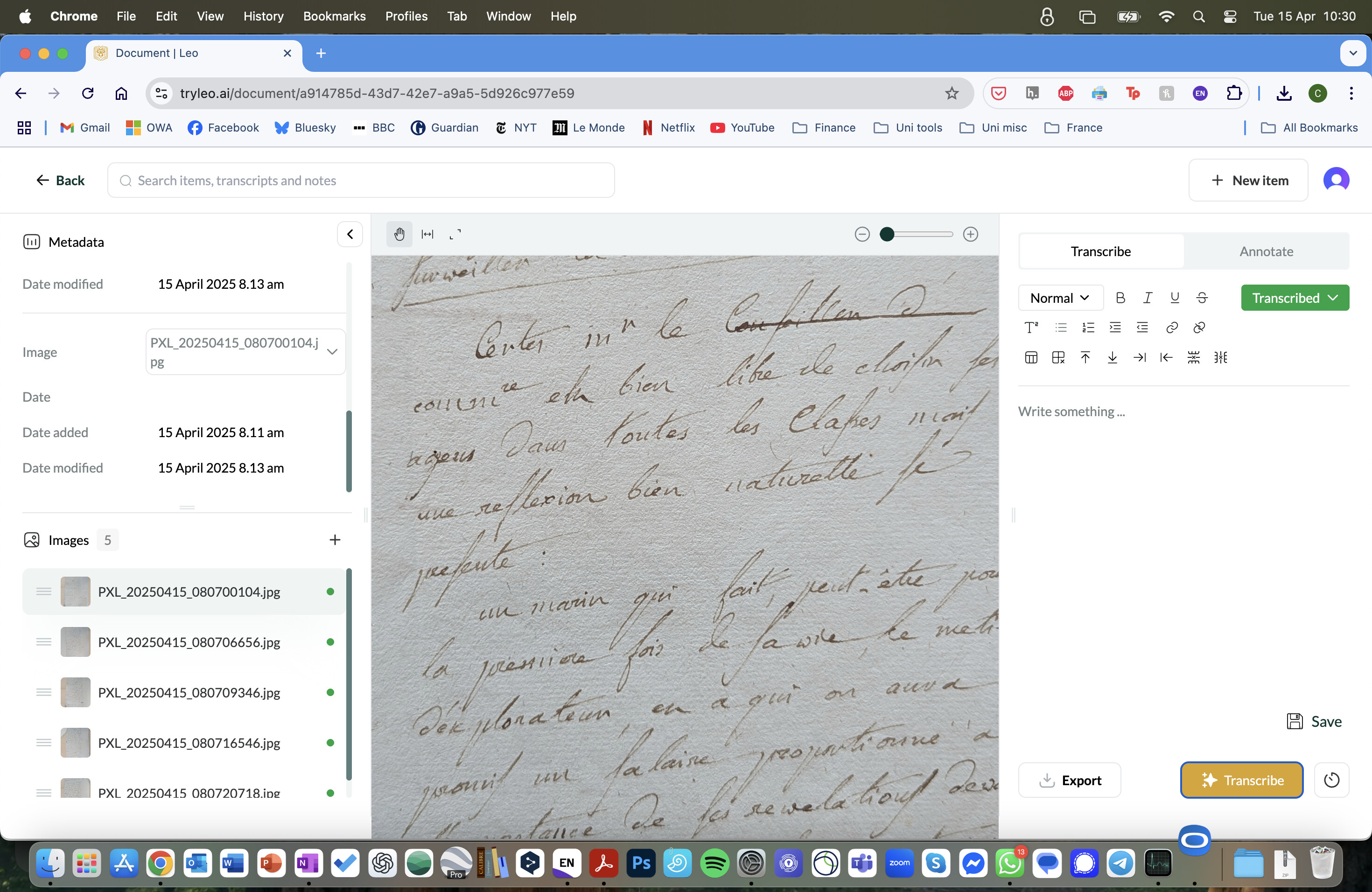
Late to post here but same problem with modern French (c.1800). The photo is of a single page. (I have zoomed it in here to show the actual text more clearly for the screenshot but the full page was uploaded.)

1 Like

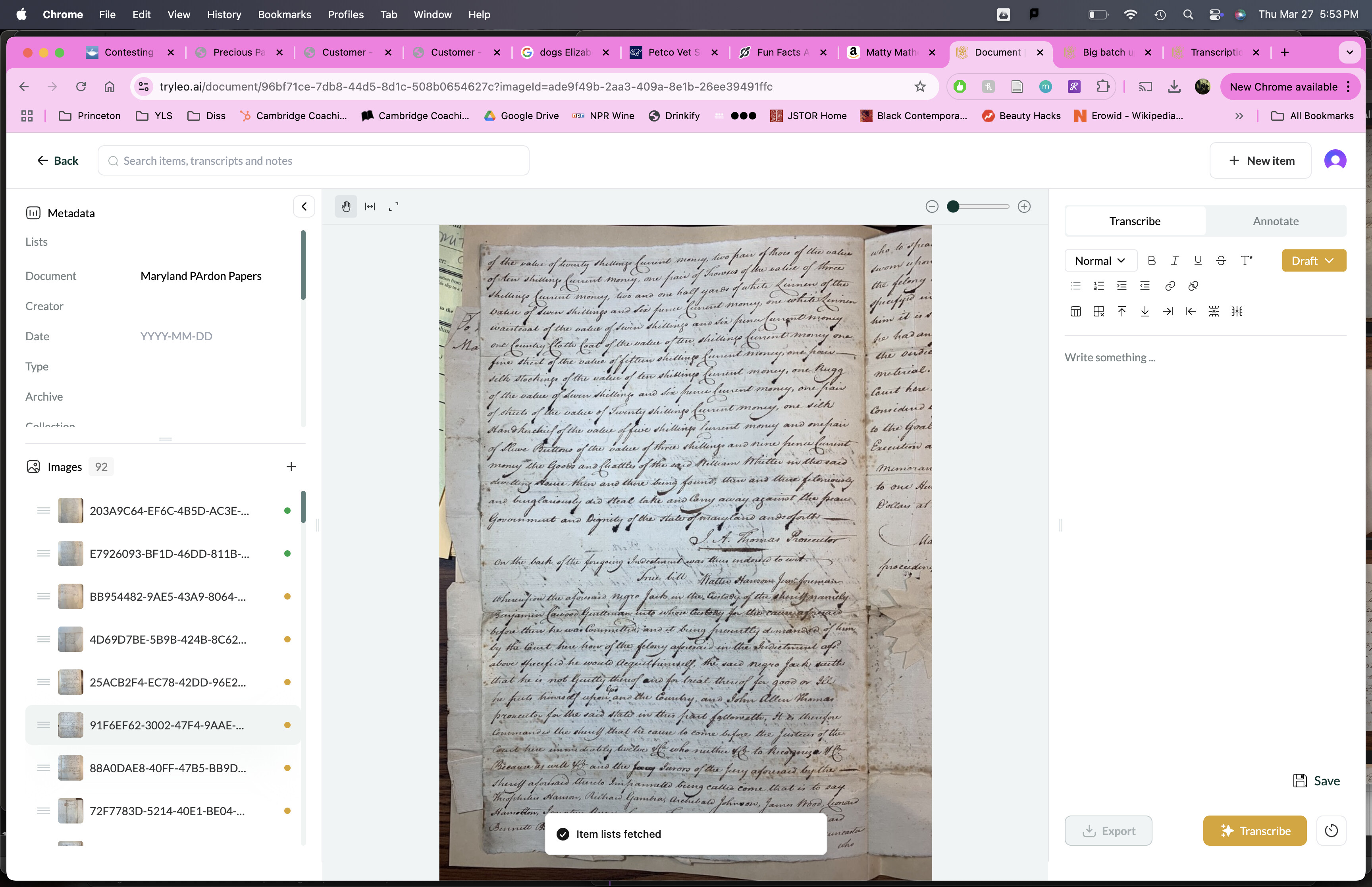
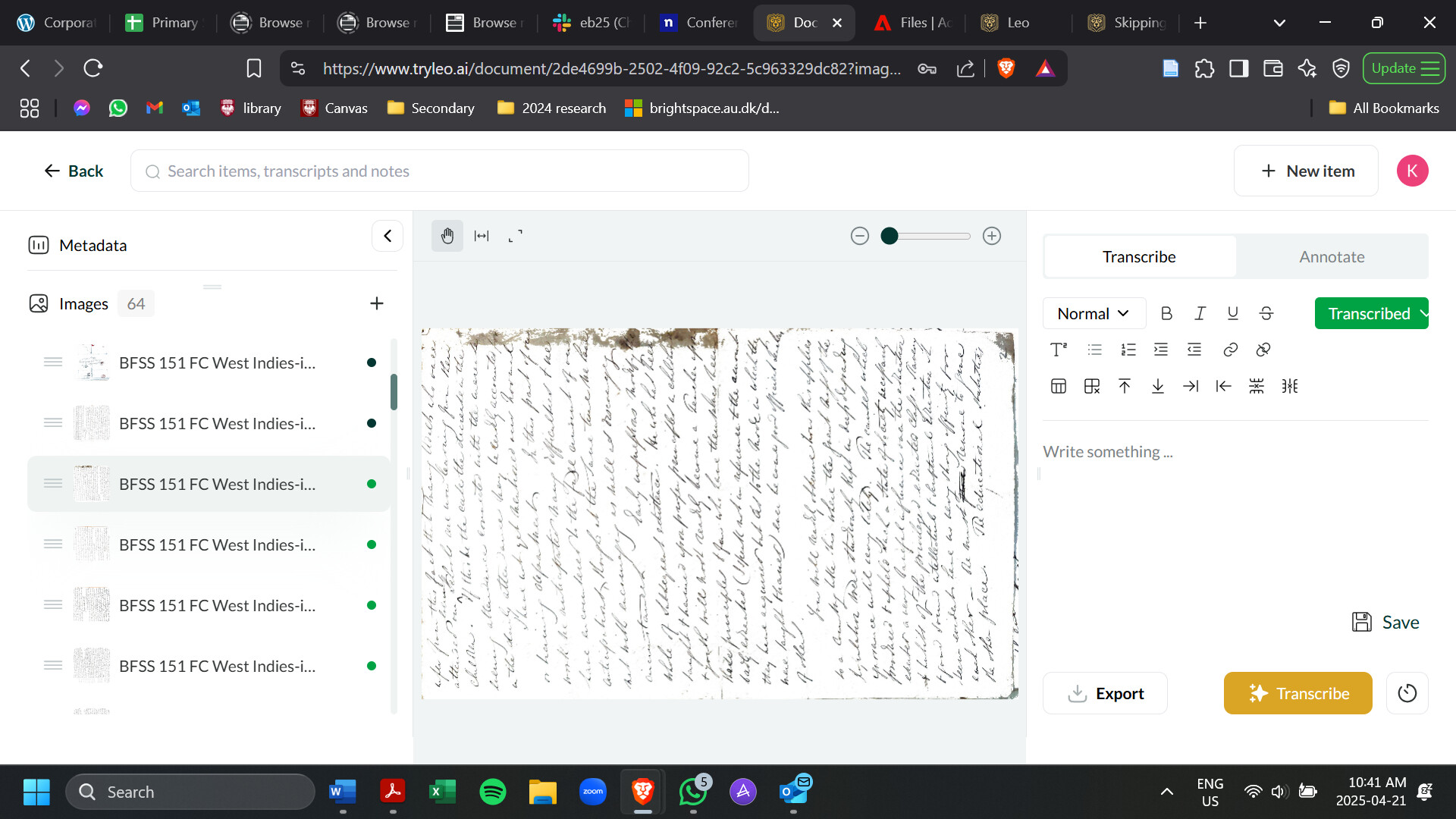
I am having the same problem with this 19th c English text - the photo is rotated, but images around it from the same document were transcribed and this page was not - I tried hitting transcribe twice but it didn’t solve the problem!

1 Like

Hello - I am having trouble when there are images with crossings out, which then seems to throw the transcription and it just repeats the same crossed out word over and over… Thanks

We’re working on this but for now the transcription quality will be vastly better if you rotate the image the correct way around before uploading!

Thanks for reporting this. Is it always strikethroughs that are the issue? What kinds of images are these (hands, period, image type, etc.)? Feel free to link to the document / image in question—only Jack and I will be able to see it.