Similar issue here. Sometimes Leo just doesn’t seem to recognize that something is on the page, whereas a letter in the same hand, ink, weight, paper is recognized and transcribed. Asking to retranscribe is no solution in these cases
I put through a large number of documents today and came across quite a few failed transcriptions.
They were all documents from the Court of Exchequer, in English, from the late seventeenth and eighteenth centuries. The documents are all very large and often damaged (holes from mice, ink blots, rips and tears, smudging, water damage). I think photo quality and lighting may be an issue sometimes, but sometimes Leo is remarkable at deciphering something that I could not read due to photo quality. However, sometimes a very clear photo produces hallucinations and the ‘doom loop’ of repetitive text.
The writing on these documents is often squeezed in and very tight on the page, which I think could also affect the way Leo works.
Leo often works better with the bills and answers, but less well with depositional material. I think this is because depositions feature indented names and marginalia numbers, which Leo struggles to place on a page - in the transcript of the example photo Leo transcribed the main text, but often missed out the deponent’s information (name, age etc) which was inset on the page.
This may not be correct, but I also think the repetitive nature of court documents can confuse Leo. Words and phrases are frequently repeated in these documents and I think this causes Leo to skip lines and paragraphs sometimes, possibly confusing where lines start and end.
Obviously as it transcribes more of these documents it will improve, but I thought I would just raise the fact that it has been patchy for these kinds of documents.
1 Like
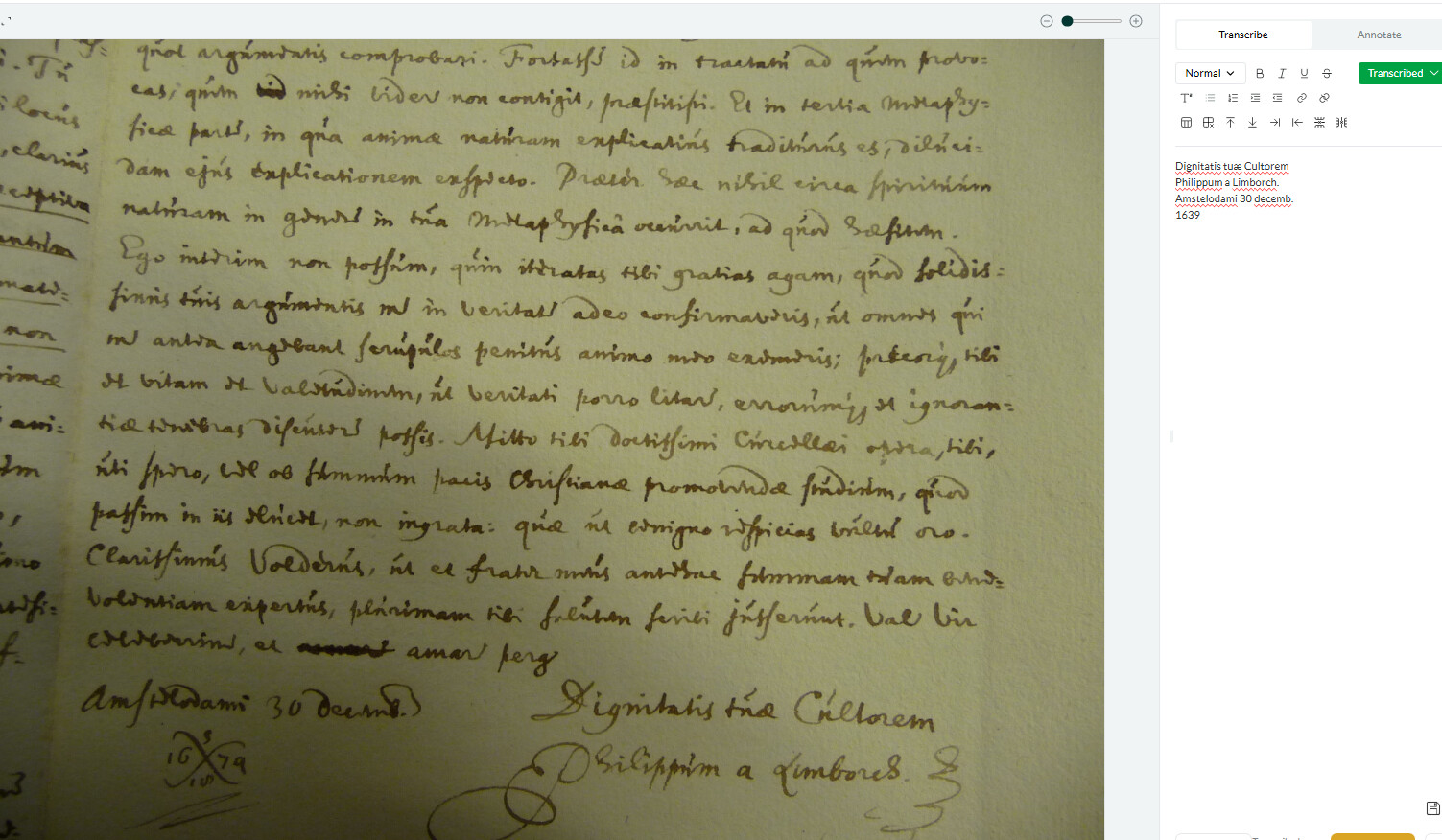
One thing I’ve noticed is that sometimes when there is a signature then Leo will start and stop with that - here is an example:
1 Like
I’ve noticed this too, often if there is a signature (which luckily they are mostly at the end of a page/letter) it will omit them and then stop transcribing. Perhaps there is a way if a signature is illegible to have LEO insert <signature_illegible> or something along those lines so the person receiving the transcription can understand the letter didn’t end with simply silence, and to go back and see who’s name it was if it truly was illegible. Oftentimes LEO will get signatures (which are very messily written) slightly wrong but still be able to transcribe them so I am unclear why sometimes it tries to decipher them and other times ignores them completley.
1 Like
I’m not sure why Leo is ignoring signatures. It’s possible it’s an issue in the training data that we need to go back and fix, so thanks for the heads up!
I see the logic on [illegible] signs though we decided not to use them as we didn’t want to kneecap the model. Our goal is that Leo will eventually provide not just useable or passable but superhuman transcriptions. What we do plan to add is some kind of confidence metric visible within the web-app, so users can see what’s likely to need correction.
Not sure this qualifies as a “transcription failure,” but many of the documents I have include pages where there’s some scribbling on it. In this case, it grabbed on one number (looks like $296.86 to my eyes), read it as “27” and then just added ten pages of “27” over and over again to the transcription.
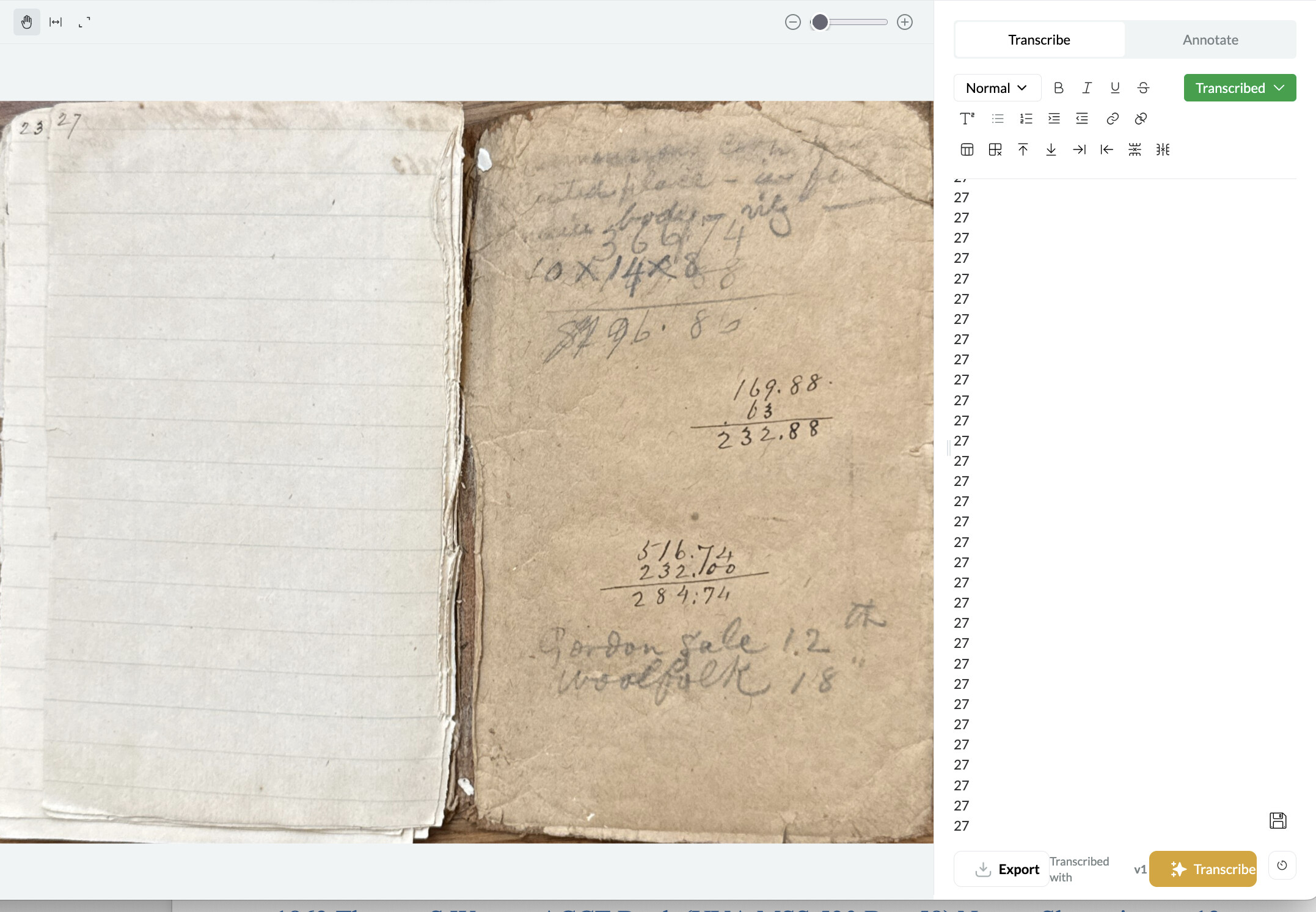
Happily, here, this was the last page of the scan and looks like nothing important on the page.
Ah yes, this is a “hallucination”! See here:
Jon, I came across this same problem, with a series of strangely rotated images that resulted in similar repetitive loops. Unfortunately, that means that most of my 10 credits are wasted. Is there a way to get those credits back, so I can crop the images better and see if reducing the image to a single column of text works better? I’d love to play more with this before my official Beta Test starts up later this month. Thank you!
Yes, of course. I’ve replenished your account with some additional lifetime credits to test things out before the beta round officially begins. 
1 Like
A post was split to a new topic: PDF image extraction difficulties
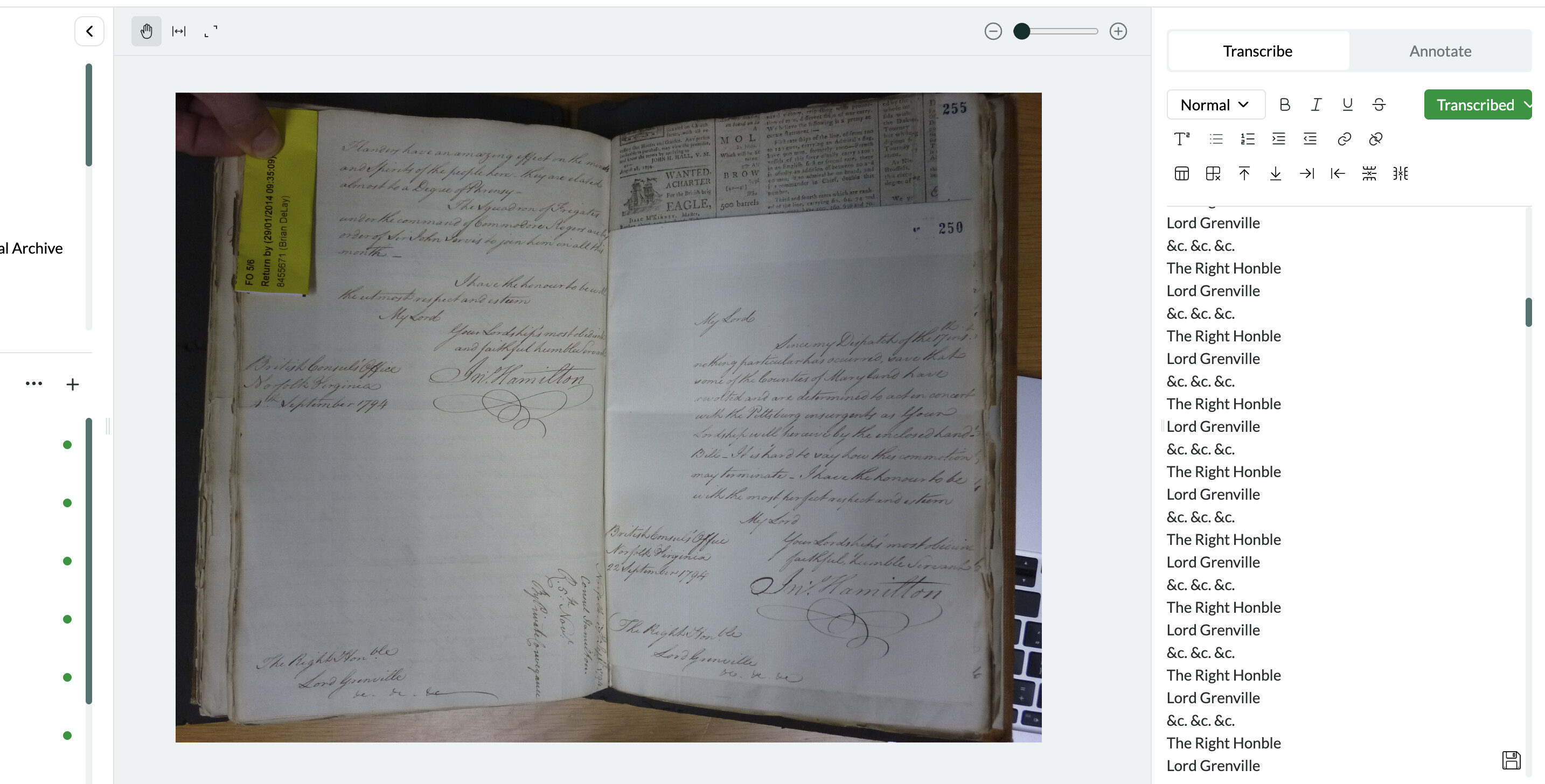
Chiming in on transcription issues. In addition to struggling with images that aren’t oriented correctly, I’ve noticed occasional trouble with layered documents of the kind that appear often in bound volumes (handwriting next to printed text; pages of different sizes, so that a single image captures part of an additional document, etc). Here’s an example where transcription fell into the doom loop.
1 Like
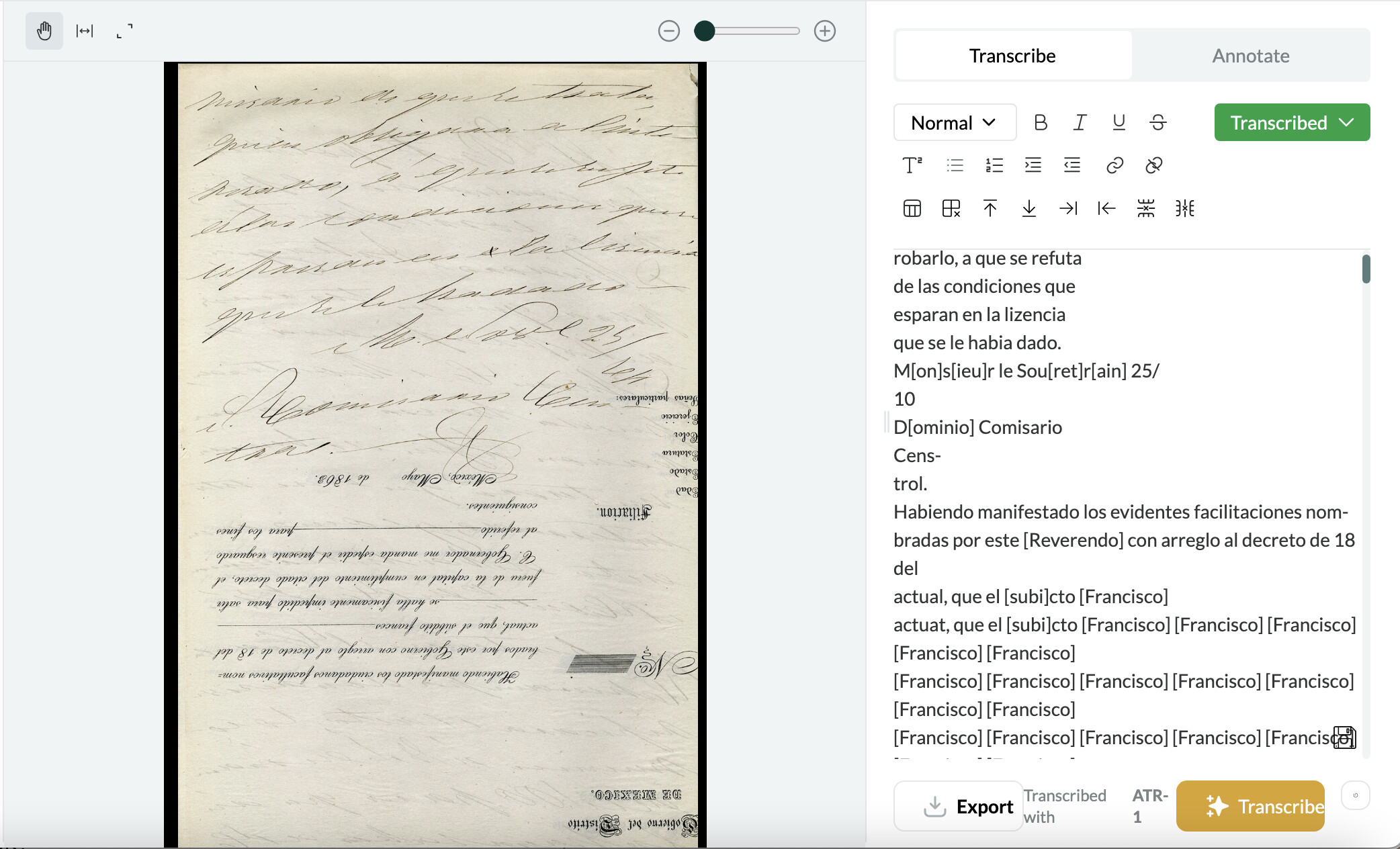
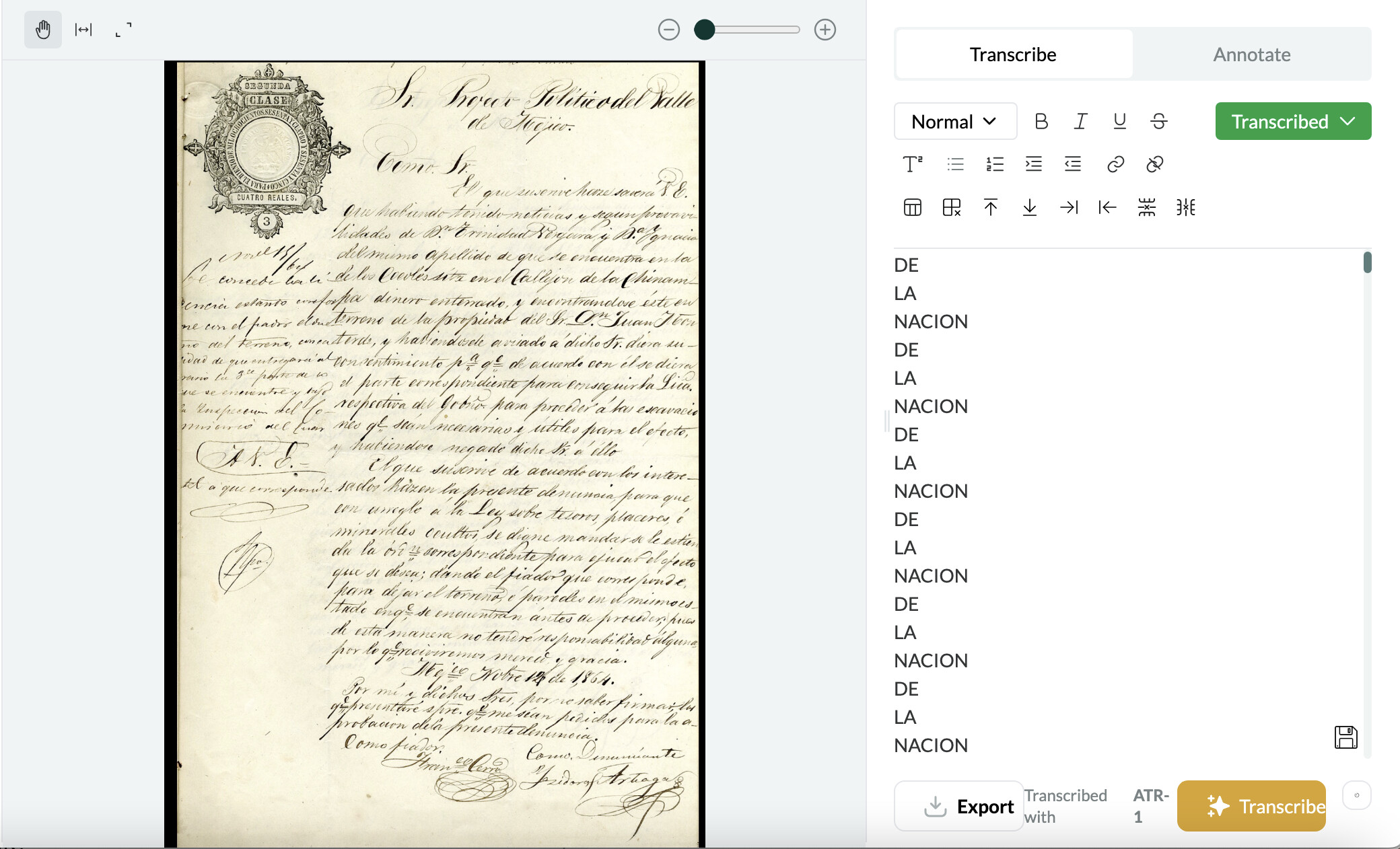
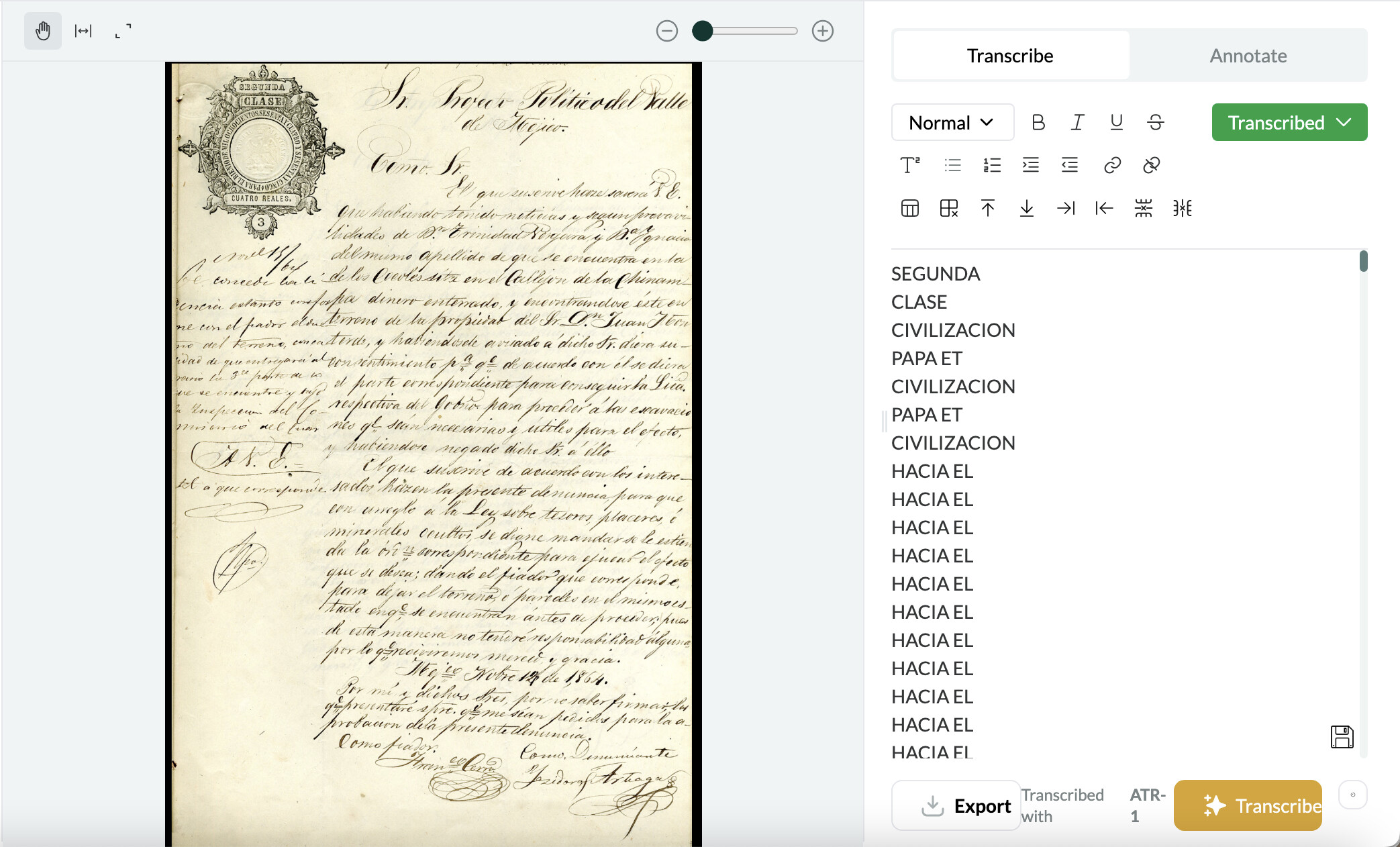
I’ve had similar issues with transcriptions falling into a “doom loop”. This happens when some of the text on a page is upside down (for example, when someone reuses a printed page). Curiously, this also seems to be a problem for a set of pages that have a stamp in the top left-hand corner. It will transcribe the text in the stamp and then start repeating a random set of words. In one instance, I tried to re-upload a page and got a doom loop again but with different text.
1 Like
I also seem to have encountered the doom loop – there isn’t even the word ‘propter’ in the document!
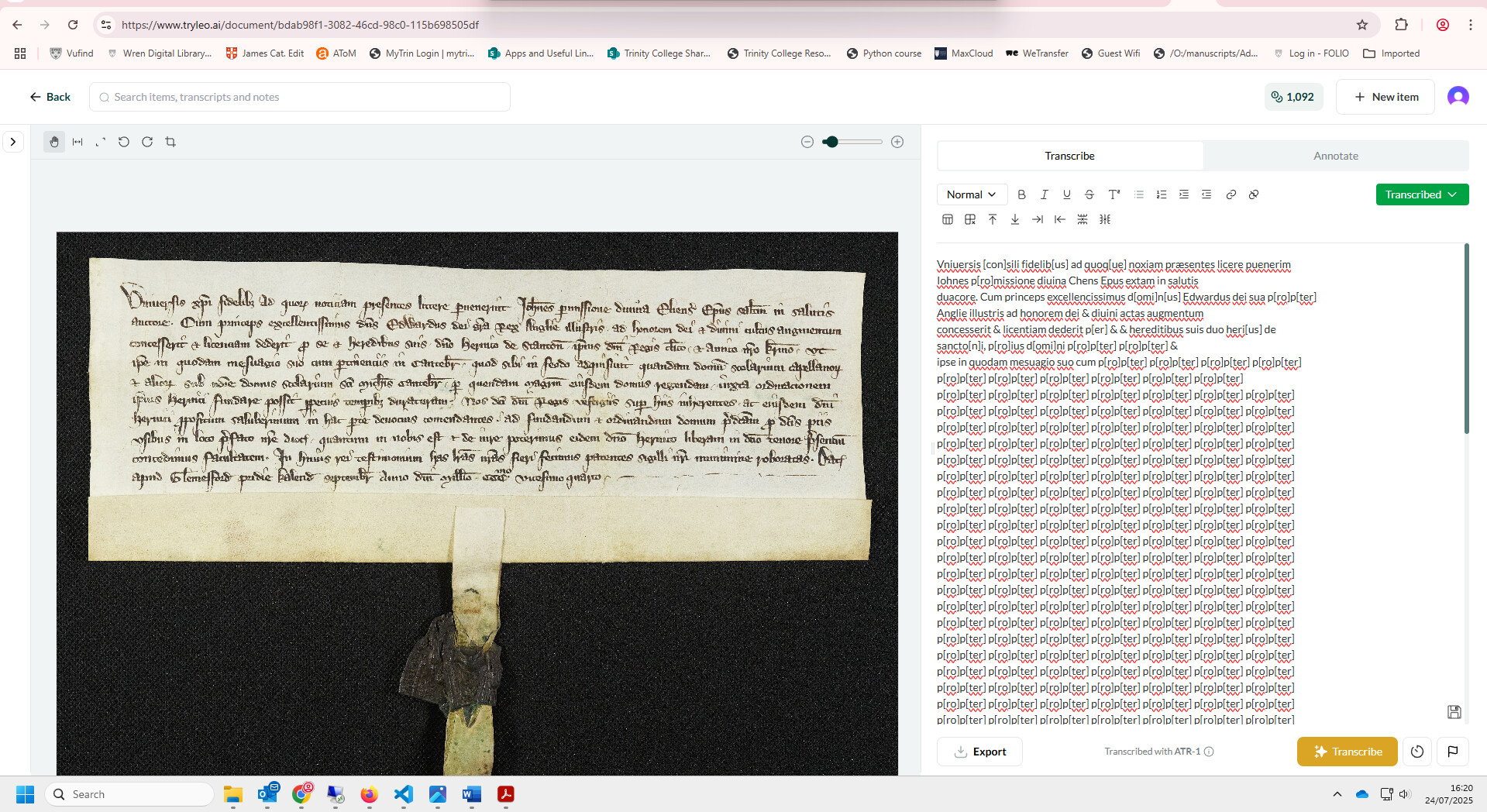
This example is probably out of distribution (i.e. not reflected in the training data) for the present version of the model. We’ll be introducing support for medieval scripts soon!
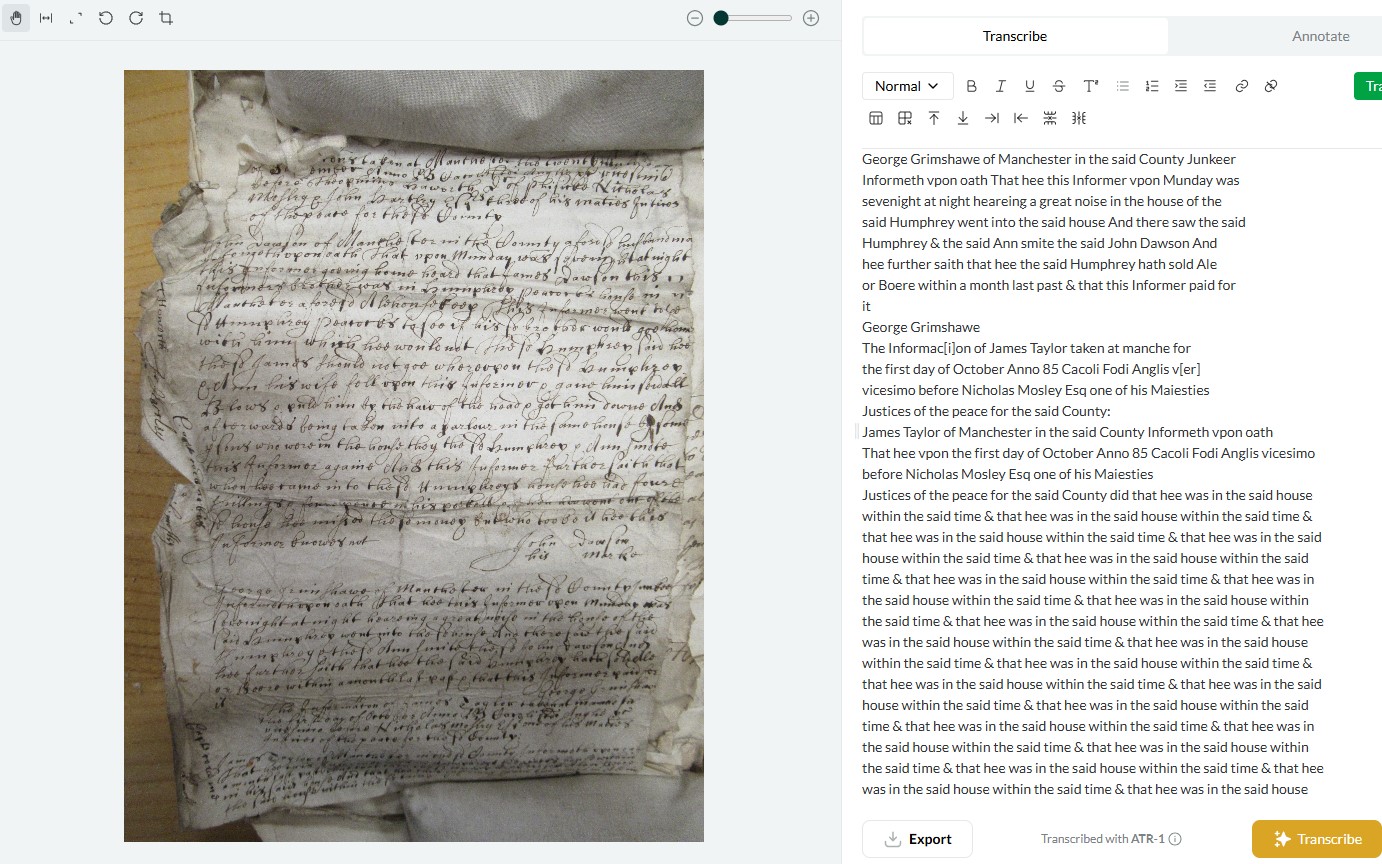
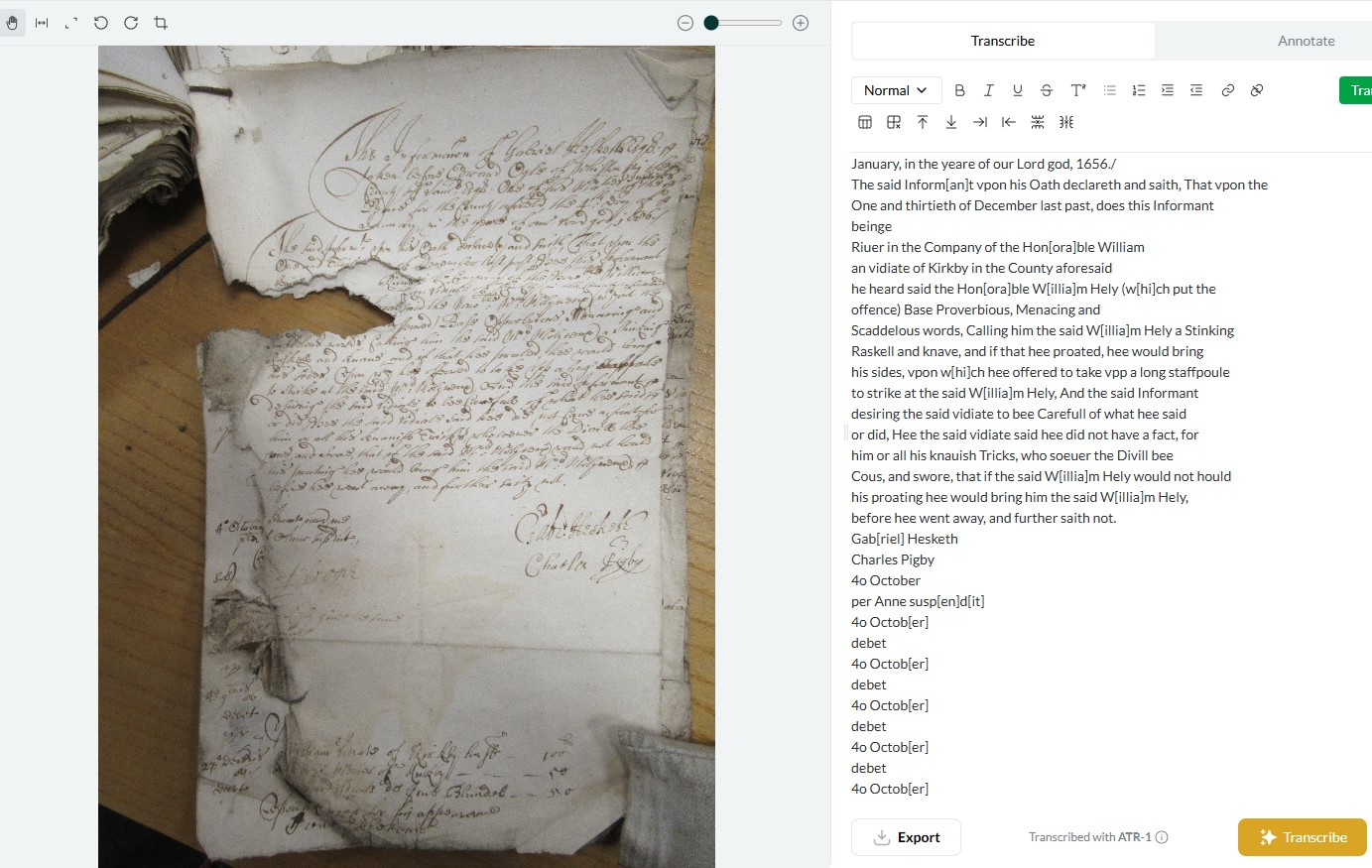
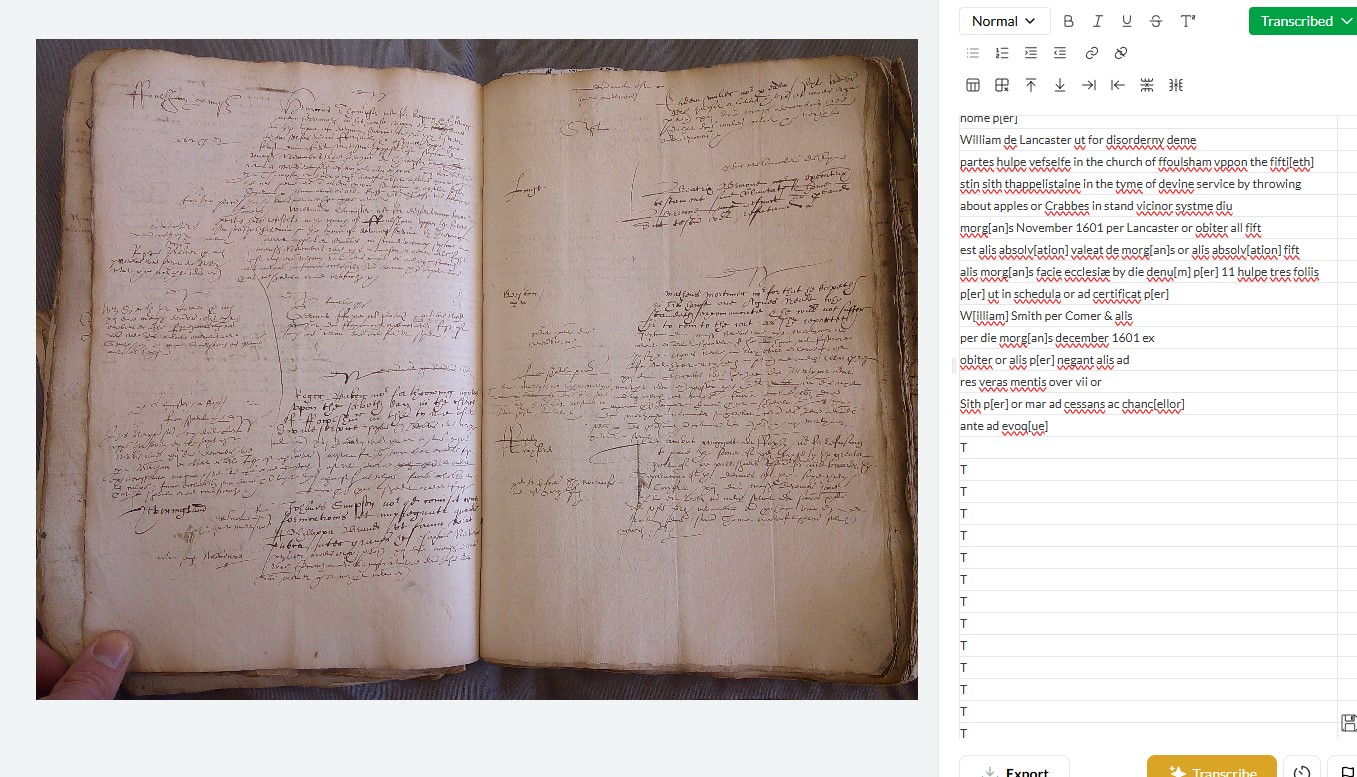
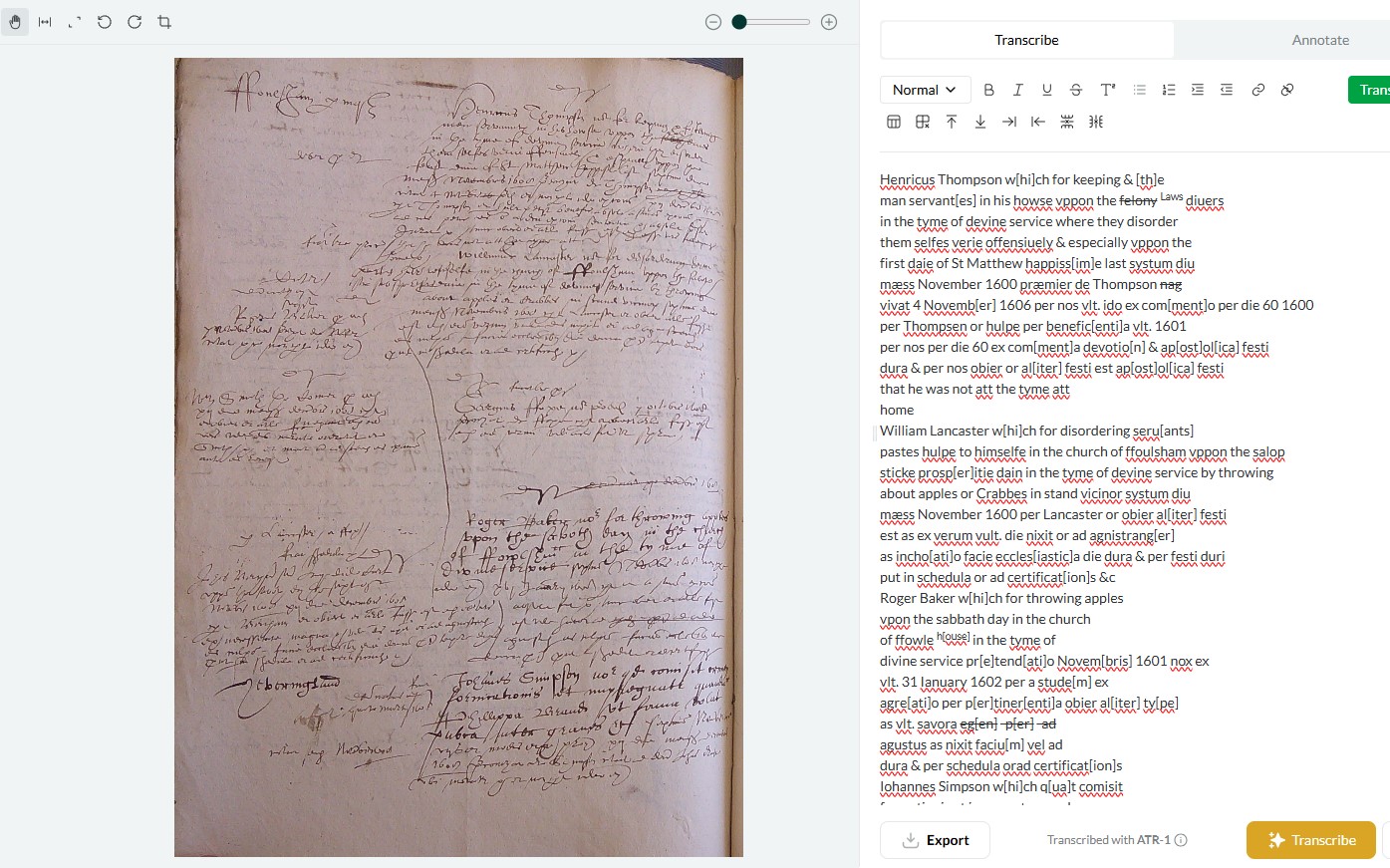
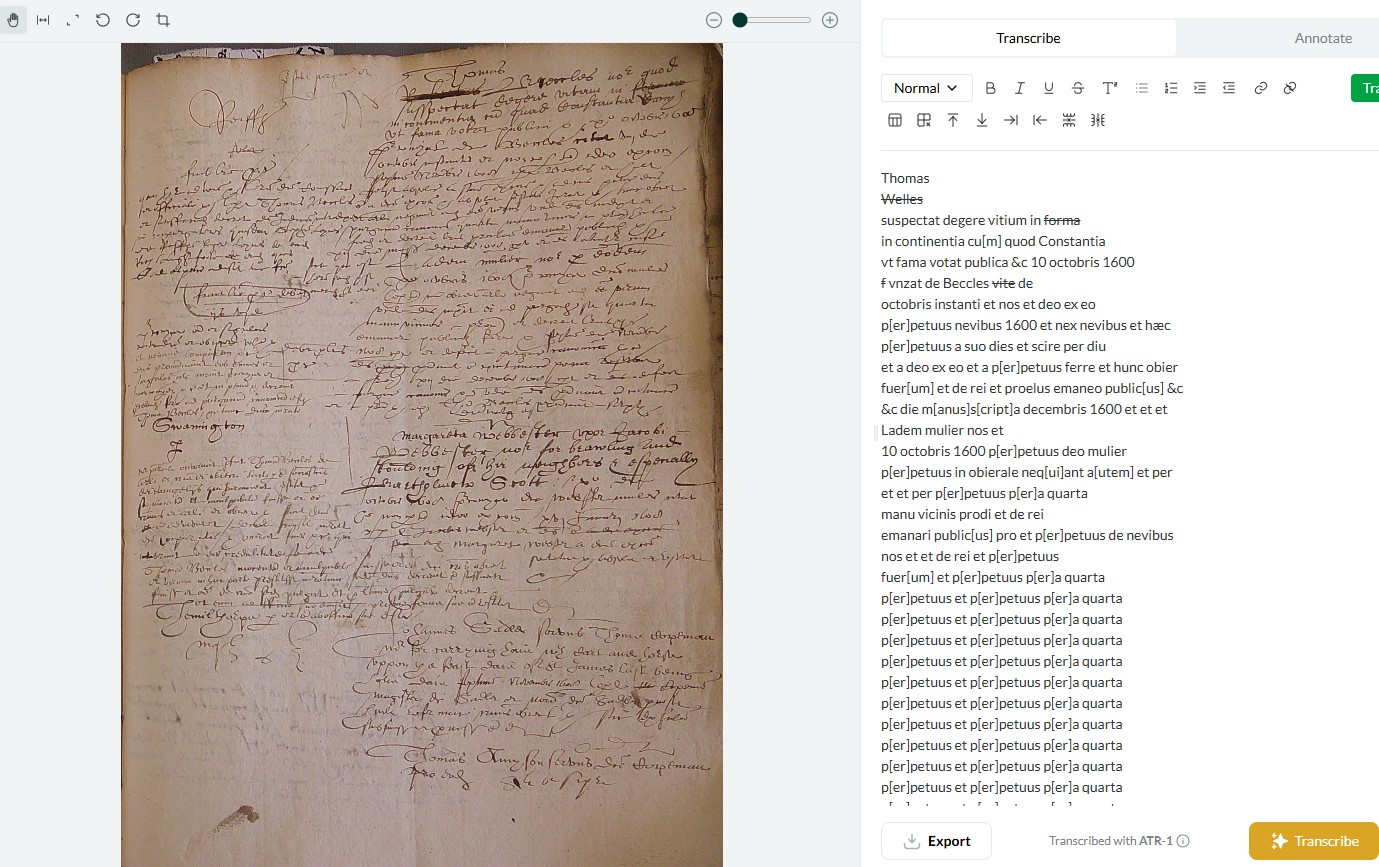
The most common transcription failure or error I’ve encountered (beyond simple incorrect transcriptions of single words or numbers) is the mass repetition or loop hallucination which others have noted. This seems to be connected to the following:
-
The last line of text is very difficult to read or discern (poor image quality or lighting etc at very bottom of image/manuscript). [Image 1]
-
Parts of the image and text are cut off or damaged, or text is picked up from another manuscript (underneath, overlapping, etc) [3].
-
Double-page layouts [5]. I sometimes got better results by cropping these into single page layouts [6], but I’m not sure the double-page is always the issue (see next point).
-
Atypical text layouts - this seems to be a particular issue with court minute books, like the 16th and 17th century English church court images attached [5-7]. While cropping double-page layouts sometimes fixes this, Leo still really struggles with these, often hallucinating before it can get through full transcription [7].
I think layout is perhaps the most important factor, coupled with the simple issue that these church court books are extremely difficult and annoying to read, even for an experienced paleographer. They are a mixture of highly abbreviated and formulaic Latin interspersed with English, all in messy secretary hands crammed into unorthodox layouts, with marginalia etc. Leo has had far greater success with 17th century English depositions - largely italic in a standard layout [1 and 3].
1 Like
I gave Leo a very difficult task - poor images of bad handwriting, blocks of text on the page. I felt sorry for the poor thing. On some pages it tried and picked up random bits of text. Other times it simply repeated the first phrase over and over.
Going through and carefully selecting blocks of text for transcription helped it a lot. It might be worth warning users in advance that for complex manuscripts, it’s not a good to just click “transcribe” when uploading, but to work each page separately.
One odd thing: it seems to have a preference for Scottish town names. It turned Tiverton into Aberdeen!
1 Like
Adding one more oddity here. On one of these complicated pages, Leo simply transcribed the first line and repeated it dozens of times! https://www.tryleo.ai/document/5e0b2bc1-d1f1-4b0a-a0f5-dde41008cf75?imageId=e97c694a-9de0-4e8a-b11d-8c57a699d7a3
Looking this over - an ink blot on the page seems to throw Leo off. One possible fix: a spot-fixing tool that would let a user white-out the blot.
1 Like
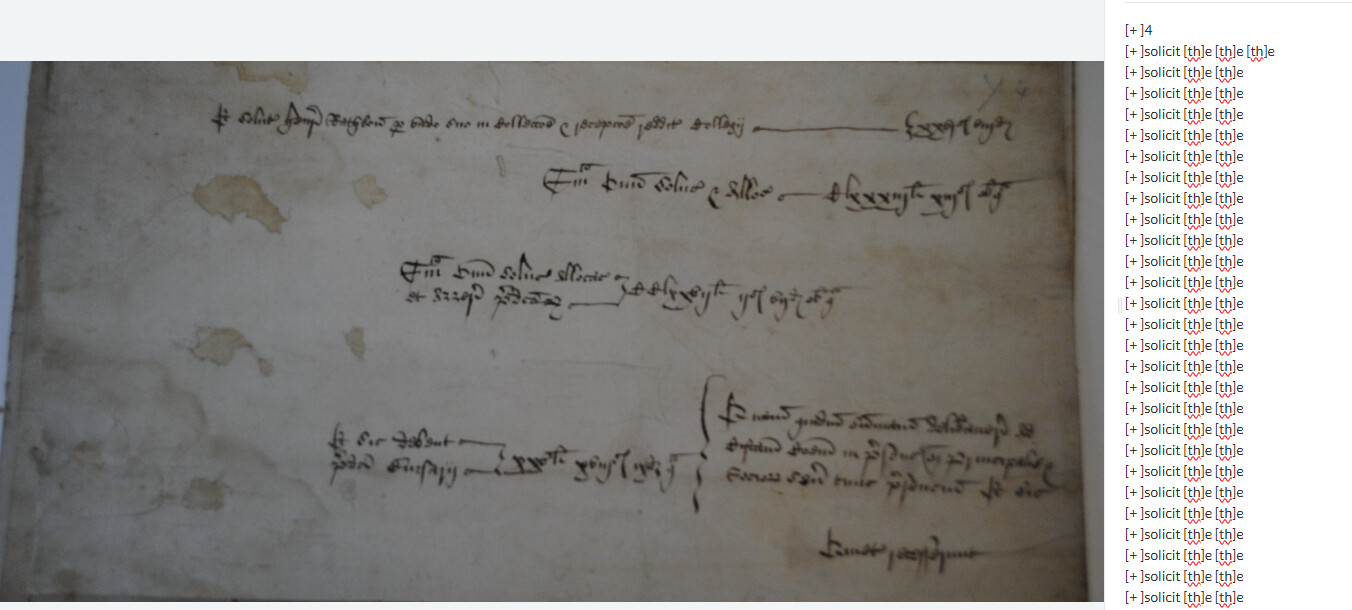
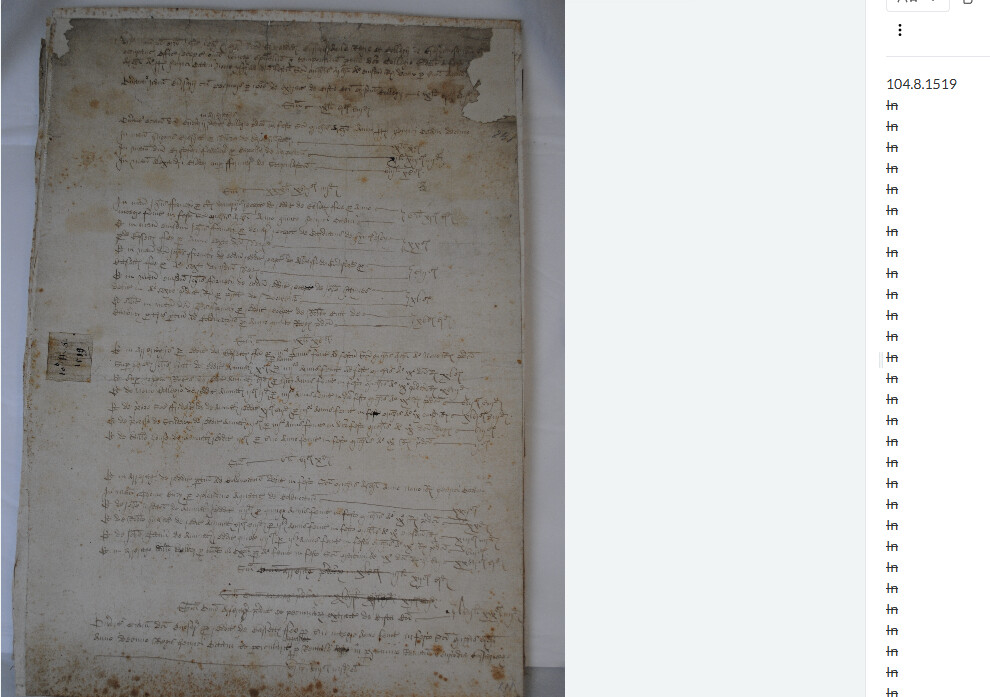
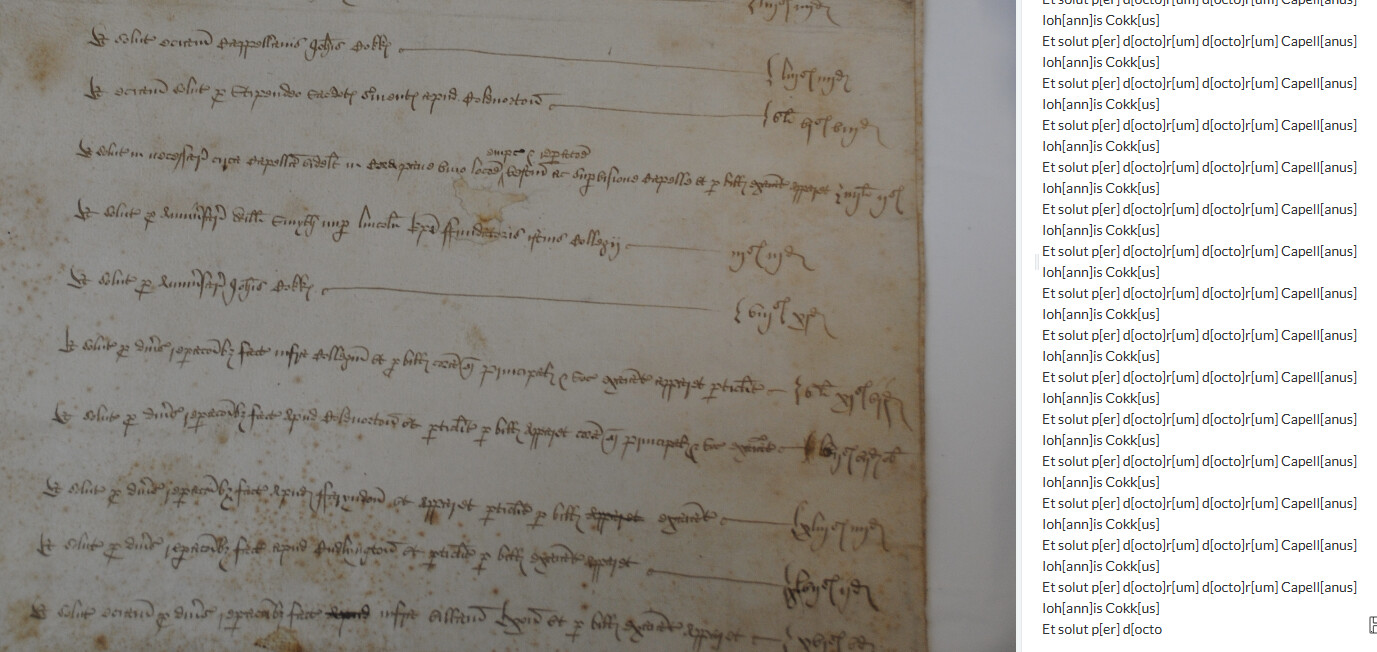
I thought I’d let Leo have a go at some tricky 16th century Latin accounts this morning. It has really, really struggled and in many cases produced what someone else has called a ‘doom loop,’ repeating the same thing over and over. In many cases it was almost like it couldn’t be bothered to try, yet in others it gives it a good go. Sometimes it starts off well and then gives up!
I’ve been having it transcribe a manuscript treatise and while it mostly deals fine with the main text (bar occasional errors, especially in expanding abbreviations), it usually ignores page numbers, and occasionally also fails to transcribe marginal captions. I can’t really work out why it has missed the ones it missed, given they are no blurrier than the ones it has transcribed.