I’m finding it fairly difficult to navigate through the list of images and there are a few features that I think would make this process much more user friendly.
-
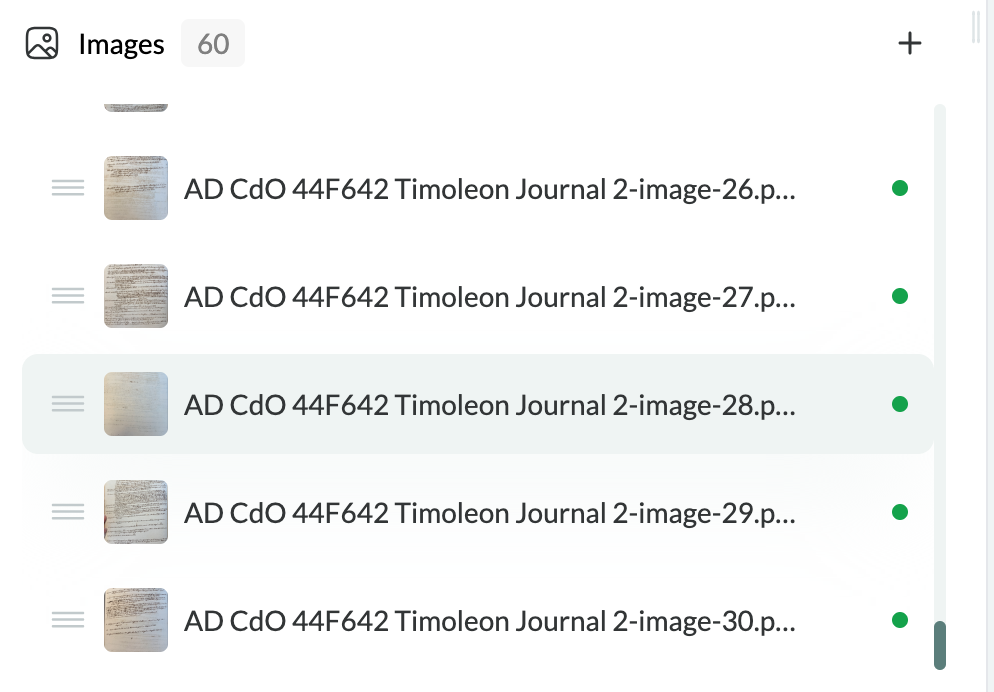
The shading that indicates which image I currently have open is quite difficult to see in dim lighting or with bad eyes (see screenshot above) – it would be great if the contrast between that and the other images in the list could be made greater for easier visibility.
-
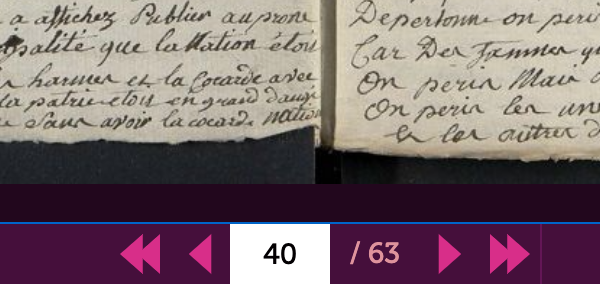
It would be really convenient to have a button to click that allows the user to jump straight to the next image, and another for going back to the image before, like in the example below.
-
When you have an image open, it would be great to have a feature showing how far along you are in a document at the point where that image is situated, displaying something like p.3/60 (see image below as an example taken from the webpage of the AD Loiret). Alternatively, a progress bar showing what percentage of the total images in the list you’ve already clicked through would also work.
-
Finally, a great feature would be the ability to add a bookmark or a star or something to certain images to flag them for myself as pages that I want to return to! This could be displayed in the image list next to the image name to make it easy to quickly find the marked image again.