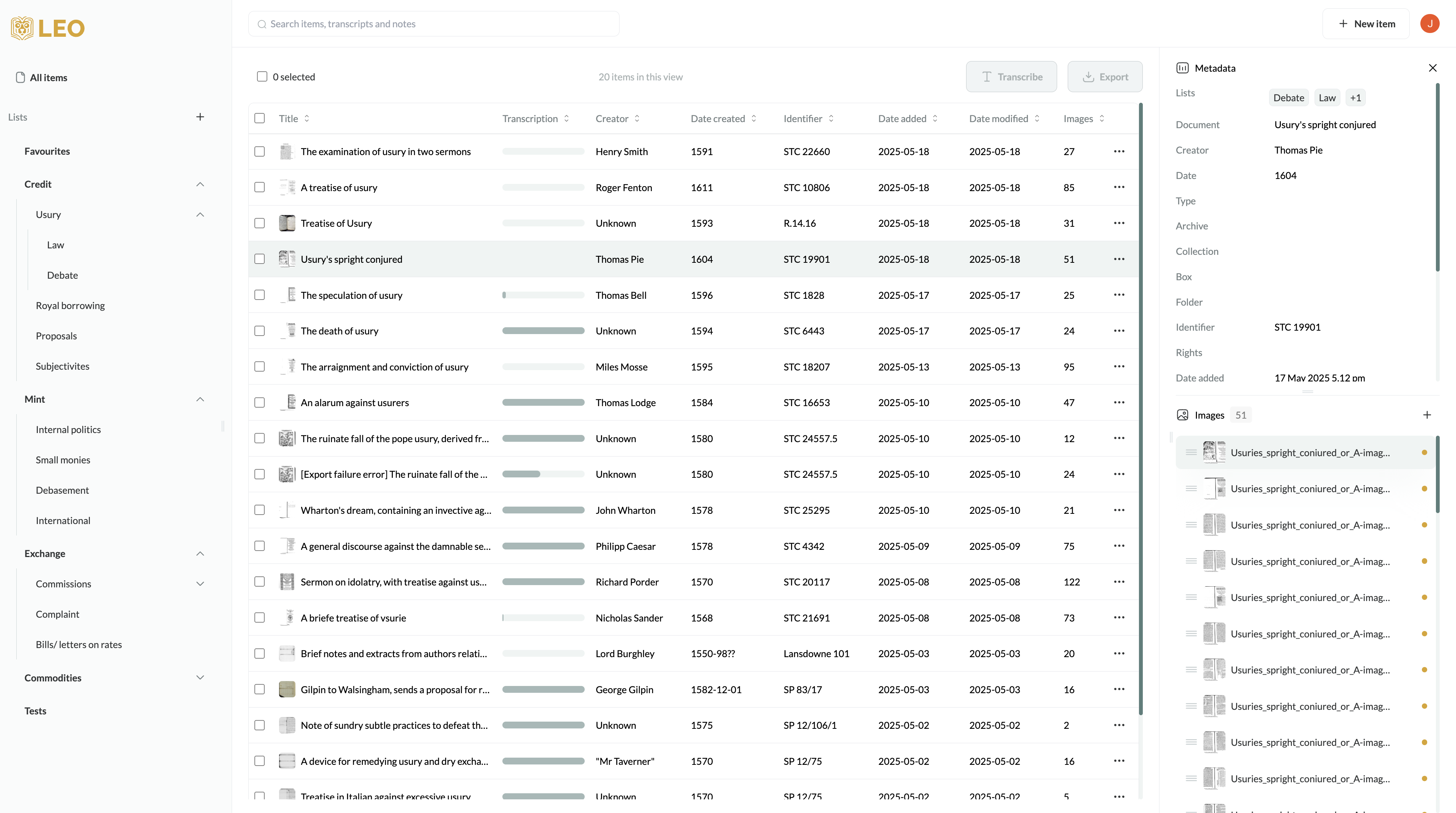
I work on a 14 inch laptop and occassionally a 24 inch screen attached to it. With both screens I experience some difficulty working with Leo.
On the 14 inch screen, the dashboard with metadata tab doesn’t fit on the screen, requiring me to scroll to the right if I want to look at the tab or add a new item with that tab open. I’m also unable to adjust the width of the columns on the dashboard. When examining an item and transcribing it, I’ve run into situations where I couldn’t “get to” the images sub-tab unless I zoomed out on the UI, which made navigating documents a bit annoying.
On the 24 inch screen, I find that I spend quite some time in the dashboard staring at my list of documents. When the metadata tab is closed, I can adjust the width of the columns to some extent (it could be a bit more for my taste). However, when the metadata tab is open, I can’t adjust the width of columns at all, which makes it difficult to see the long titles I give some of my documents. It would be good if we could adjust the width of columns even with the metadata tab open, or even hide columns.
Thank you for this Daan! We’re aware of some issues with small screens and this is very helpful feedback as we think about how to fix it. Something that we’re introducing soon is to enable the user to collapse the lists panel on the left, which should make the dashboard more responsive and easier to use on smaller screens. It’s definitely also on our to-do list to enable the user to select which metadata fields they want to appear as columns in the dashboard view (and maybe for some to automatically disappear when resolution is reduced).
Another thing that we’ve been thinking about is having a more obvious option for the user to zoom out. But now I’m wondering because you said zooming out makes navigating documents a bit annoying. To be sure, are you doing so in your browser by pressing Cmd and - on Mac or Ctrl and - on a PC? Personally I tend to use Leo at 90%, which I find helps me see everything at once (on a 15", though very high resolution screen:)