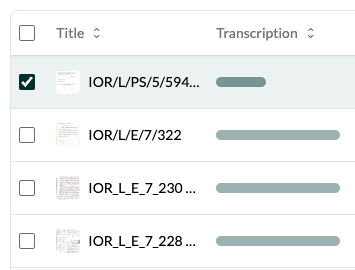
I was uploading and transcribing just now but on the lower bottom of the screen it said “insufficient credits” and for the end-product it showed a half-completed completion bar (see below). Before this round of uploads it said I had still 675ish lifetime credits, but this suddenly happened.
On the note of Credits, there is no place where you can just go and see how many credits you have unless you try to transcribe something (which is not tragic but can be slightly inconvenient), so perhaps there could be something on the tool bar where you can see how many credits you have?
Yes Professor Cheney has a great point–there are nowhere else, at least intuitively, where you can check for your credits, unless you transcribe something.
According to our system you successfully transcribed 1,145 images, which explains why you have no more credits left. Due to the glitch with the credit indicator not updating reliably you actually probably got a few more than were allocated to you for the beta period! But since this was not clear and might have interrupted your work I’ve topped your account up with some extra credits. If you have more images to transcribe you could either buy more now or wait until the end of the beta period, when we’ll send out a final survey and allocate additional credits based on feedback. As for finding out how many credits you have remaining, you can do this by clicking on the circle on the top right, pressing “Manage account”, then “Subscription”.
We’ve noted, based on this feedback, to prioritise fixing the remaining credits count and to introduce a clear place where remaining credits are displayed.
Thank you Jon! I certainly do not want to eat up all of Leo’s resources, but thank you for the top-up. I will look through my transcription so far and see what other feedbacks I am able to provide. And yes it would be great if the credits are updated accordingly while we use it–I think when I tried to transcribe the final batch before I was stopped, it showed that I had something like 675 credits or something, which was why I got confused (and when I was transcribing, the credits were not updated accordingly, and sometimes shows a greater number even after I transcribed something). Thank you!
Thanks for this thread! I had a similar problem, was uploading and transcribing documents, looked like I had 30 credits left, but a 4 image document loaded, then said “insufficient credits” when it started to transcribe (or I again asked it to transcribe). Would be nice if there were a way to easily see how many credits one has left (but, LEO has been fantastic, especially as I’ve overcome my own user errors! It has quickly and capably transcribed a variety of 19th century US English documents I’ve thrown at it).
That’s very strange since it seems from my end you still have plenty of lifetime credits! Were you unable to transcribe the images or did it work when you tried again?
Apologies, I went ahead and bought more credits (I think 1,000 credits). I have so much material and I’m learning so much about how AI (and LEO) works, that I didn’t want to stop! And that was after I posted about the credit issue. So, yes, everything working again and I now know to log out once in a while as I get close to end my credits so that the counter catches up and I know exactly how many I have left.
These issues with the credit ticker not updating should be fixed in the latest release (version 0.1.8). Please report if you continue to experience this problem!