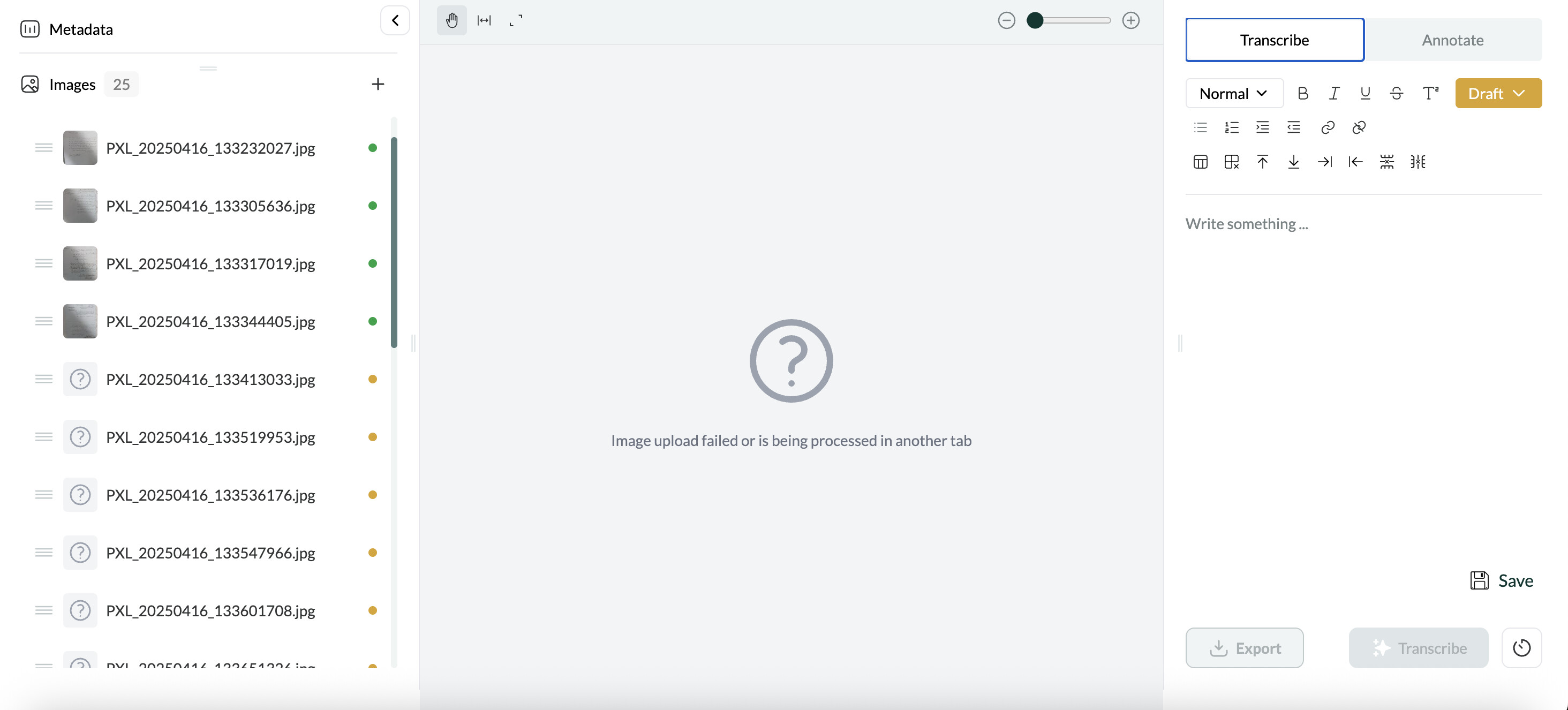
I have the above upload transcription error. I am pretty sure the error began after I started transcription, i.e. it uploaded correctly and was then corrupted by the transcription process as the failed images have yellow (transcription in process?) dots next to them, but am not 100% sure. I think it was a random glitch as I haven’t had this problem elsewhere. As you can see, the upload/transcription did a certain number of transcriptions correctly and then failed.
(I have no uploads in progress and only have one Leo tab open in Chrome.)
Fixing the problem by reuploading will be time consuming because I can’t find a bulk/multiple selection tool for deleting and re-uploading images, so I will have to go through and delete a load of images and reupload them.
Release version: Leo v0.1.5
Browser: Chrome version 136.0.7103.48 (Official Build) (arm64)
I would have guessed that the connection cut out during the upload but it’s not impossible that it’s a bug. If you experience this again, or anyone else notices that this happens after the image has already uploaded, please let us know. Fortunately batch editing features for managing images within an item are coming soon so if something like this does happen again, it should be much quicker to delete a bunch and re-upload them.
It happened to me several times tonight. There was not interruption in my connection.
Once, it happened when I tried to upload a new set of images while Leo was still finishing uploading and ranscribing the previous set.
In another occasion, it happened when I clicked on an image that had not been displayed and transcribed yet: I received the same error message of Conor, and when I clicked “back” the upload stopped and all the images after that one had a failure message too. After I erase the whole item and re-uploaded it, everything worked just fine.