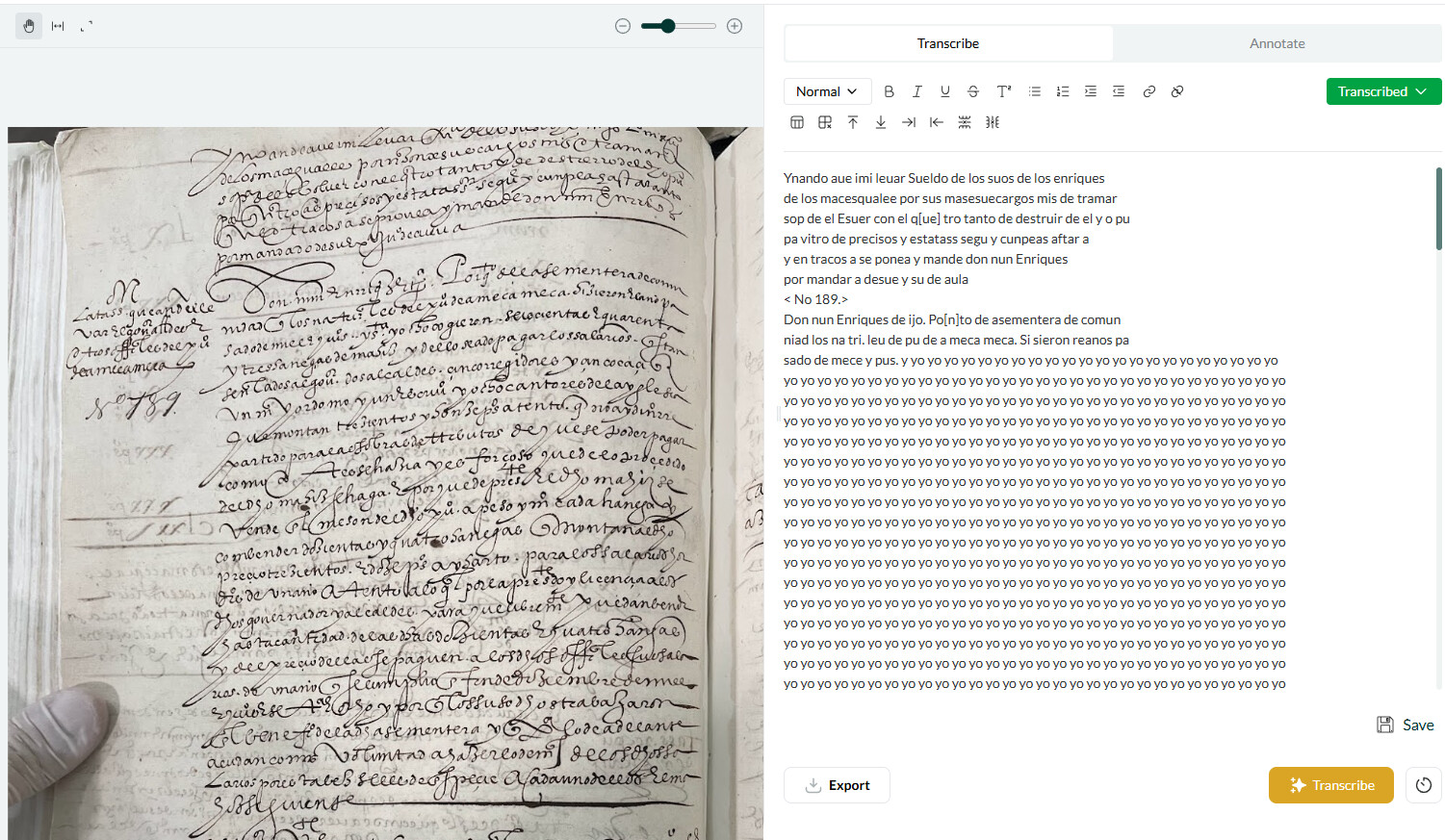
I’m having sucess with Leo, but I’m experiencing a glitch with a transcription. After one paragraph or so where Leo attempted a transcription, it stopped interpreting the letters and wrote “yo yo yo yo yo…” for the rest of the document. Picture is attached. I hit the transcribe button instead and got the same result. Please advise on how I should proceed.
As an additional question, I’d like to ask if the AI will improve if I fix its transcriptions within Leo’s program (I know I’ve seen this feature in DeepL).
It is unfortunately common for text-generating AI models to collapse into repetitive loops like these when encountering something that they cannot confidently decode. Basically the model “gives up” and recycles an easy pattern rather than continuing to generate a coherent transcription. If the handwriting or layout in the image deviates too much from what the model has learned to transcribe from the training data (technically speaking, if the material is “out of distribution”,) then it often switches to repetitive text like this.
We anticipate that this kind of problem will become much less common as we continue to develop the model with a more diverse range of training data. It’d be a great help if you could keep an eye on which kinds of manuscripts (handwriting styles, periods, etc.) tend to produce such hallucinations so that we can target how we improve our coverage.
At the moment, here are a few general pointers for improving your chances of getting a coherent, high-quality transcription:
Use the highest resolution / quality photograph available
If the image is rotated, manually rotate it back so that it’s the right way around
If the image is of a double page spread, try cropping just one
If there is complex segmentation (e.g., tables) try cropping smaller sections
If there is something unusual at the very beginning (top left, or just the top part/ line) of the image, try cropping it out
In your case especially, you may find that you get a better transcription by cropping a smaller portion of the image out.
As for your second question, currently Leo does not learn in real time from corrected transcriptions. Nevertheless, we’d encourage you to use the web app to store your documents during the beta testing period. And do watch this space—we plan to introduce functionality like this in the near future.
I’d be very keen to hear if these tips help, what happens when you try them, or if you have any further thoughts.
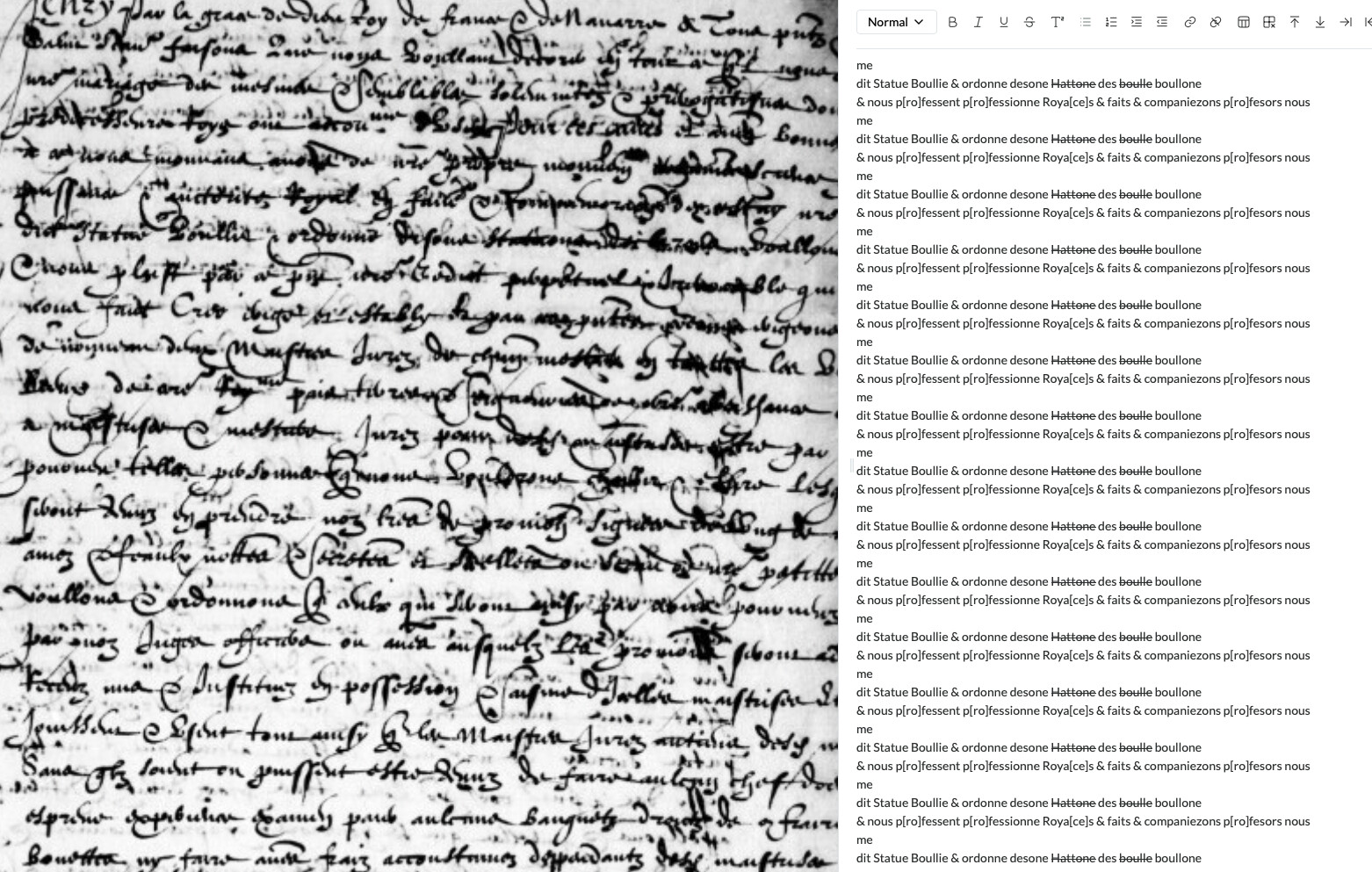
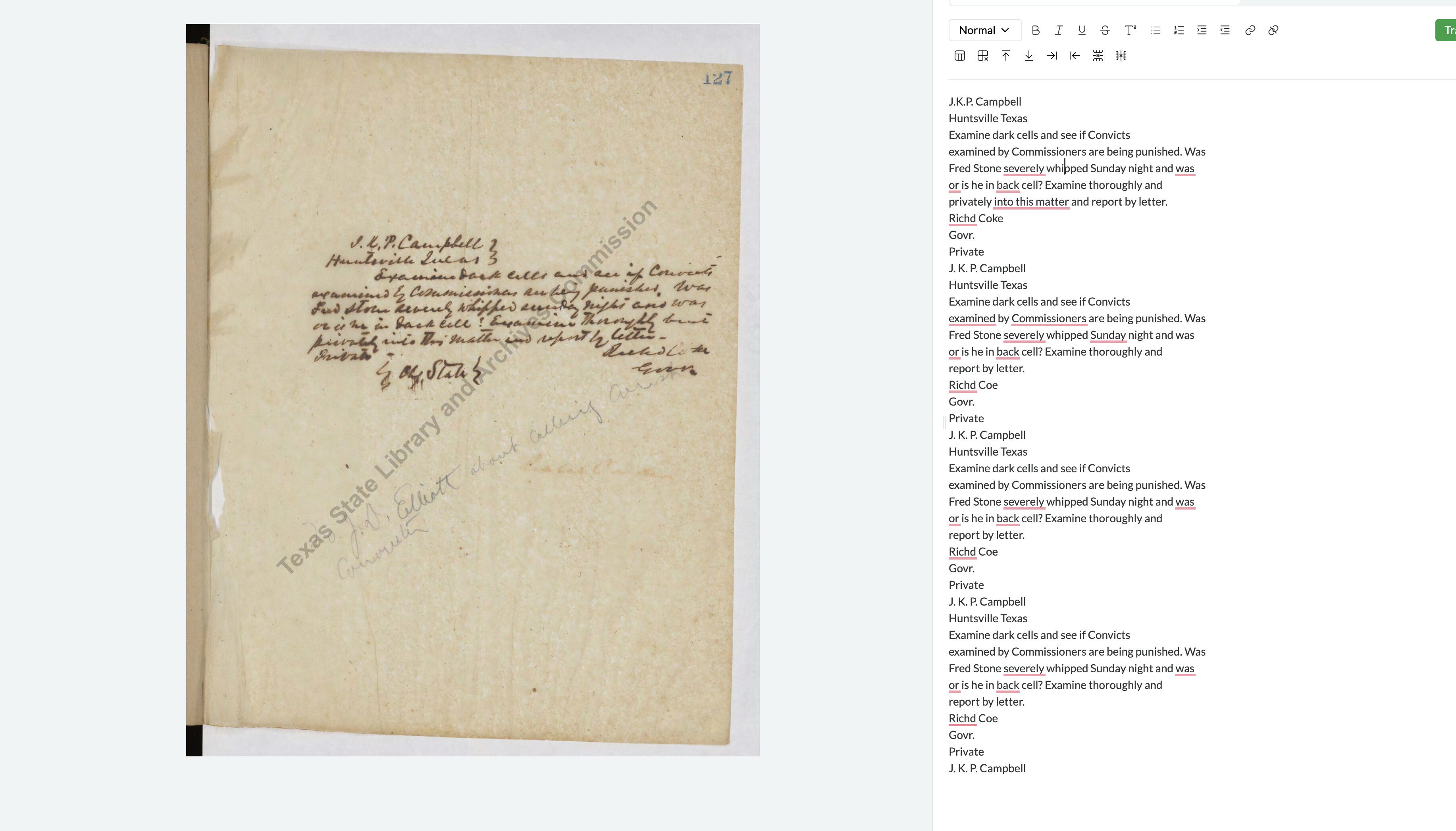
Very interesting. In my case, Leo repeated a complete transcription over and over. I guess the behavior was triggered by the unusual note that the author (or someone else) added at the end, in a different color and diagonally to the rest of the document. In another case, the added note (different pen, maybe different writer) was correctly identified: the difference was that the note was written horizontally, as the rest of the text. I guess that changes in orientation in text are the culprits.