Browser: both Firefox (147.0.3 aarch64) and Chrome (144.0.7559.133 arm64)
OS: Mac Tahoe 26.2
Description:
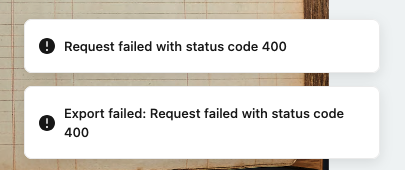
I tried exporting the transcriptions for an entire sublist (containing 837 images). On two different browsers and with many different option permutations (e.g. both images and transcripts or just transcripts; with PDF, Word, or HTML output), I got a 400 error code (see attached screenshot) every time.
When I tried exporting the transcriptions for just 10 images at a time, I was immediately successful.
Steps to reproduce: Just select a sublist and click the export button. The same problem arises if I open a sublist, select one image, click the export button in the image panel, and then in the resulting dialog click the checkbox next to the sublist name at the bottom.
Hi Rick - sorry for my delayed response here. Could you clarify what you mean by sublist? We currently don’t allow list-level exports? Do you mean trying to export a document / item?
Hi Jon. I was using Leo’s own terminology for “sublist”. A list nested below a top-level list item.
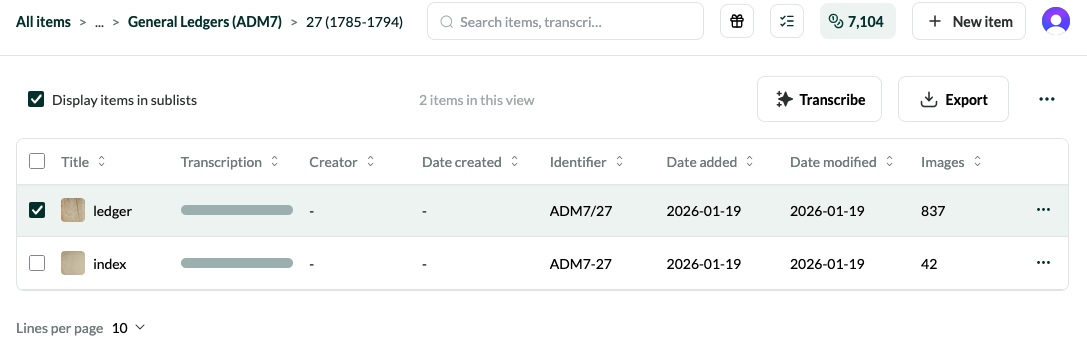
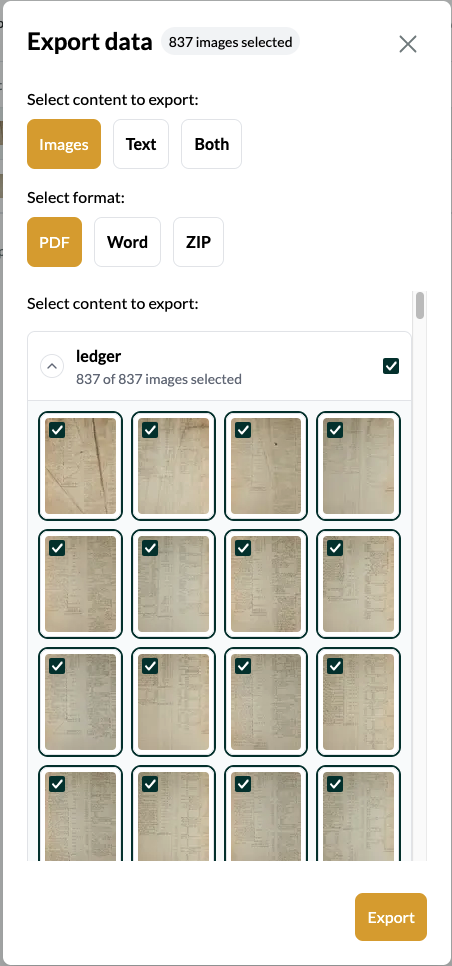
I take your point that Leo doesn’t currently allow list-level exports. But given that is the case, your UI seems to me to be misleading. See the first of the attached screenshot for a list of items in one of my sublists. If I select one of those items (which is in turn a sublist) and click on the “Export” button at the top right, Leo (per the second attached screenshot) correctly calculates that there are 837 images in that sublist, shows each of those items in the “Select content to export” list as checked and so ready to be exported, and gives me every expectation that if I click on the “Export” button in that pop-up window, I will be furnishing myself with a zip file of 837 images.
If that is not in fact how Leo works, then this “bug report” should should be converted to a feature request. My sublists each have hundreds of documents/items within them. I’d hate to have to manually select each one of those images, or even smaller subsets of them, to get to my end goal: an export of the complete set of all the images in a given sublist.
Hi Rick, sorry - I think my confusion here is about the distinction between lists, sublists, and items. Lists always appear on the left side of the dashboard view. They can be nested, such that lists can contain sublists. Lists and sublists contain items, which are what appear as “ledger” and “index” in your screenshot. Jack and I have agreed that the terminology of “items” is confusing and have resolved to call these “documents” in a future release.
You should absolutely be able to export the item you’re referring to, no matter how many images it contains. We’ll look into this ASAP and report back!