I added a bunch of images at the start of the trial and failed to hit transcribe all. Now it seems I need to transcribe each individually? Or is there a quick way of asking Leo to transcribe everything in a list?
(Btw, it is marvellous how much it can transcribe!)
Hi Sarah! You can do this through our batch editing options.
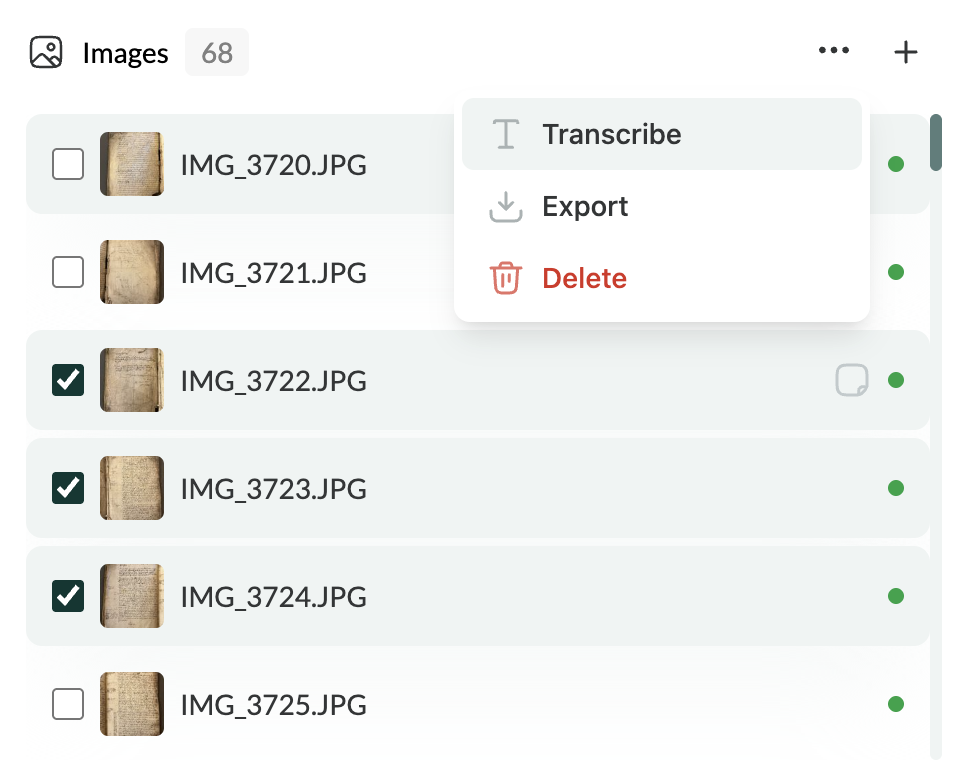
For images, tick the checkboxes for the relevant entries and then press the “…” at the top-right corner of the image list widget, as here:
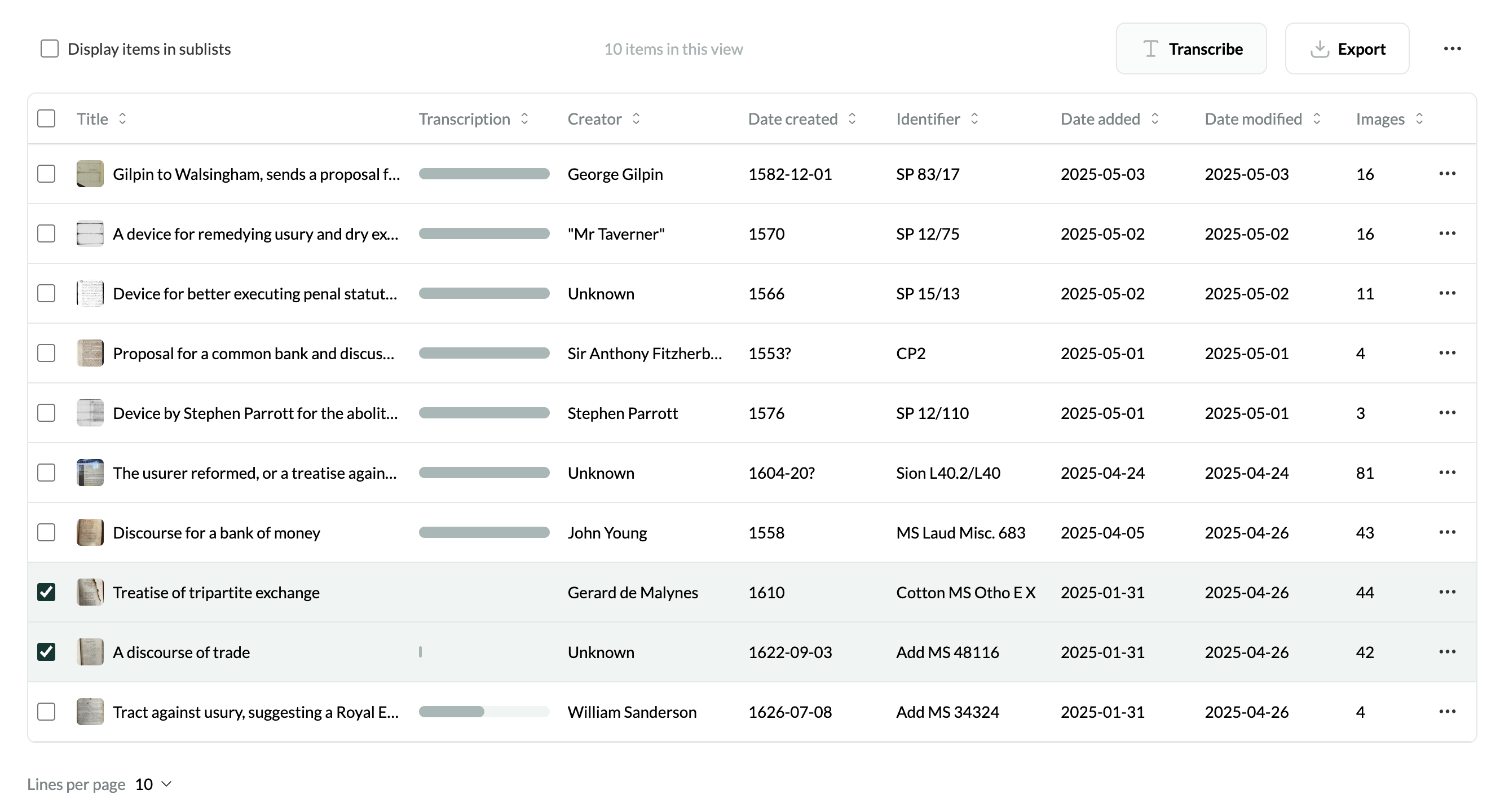
You can also batch transcribe multiple items (encompassing all images within each item, unless they have already been transcribed) by using the checkboxes in the main dashboard view, then pressing “Transcribe” on the top-right corner.
Hope this helps!
Hi Jon - a related question. Is it possible to batch upload images, but preserve individual titles for them? At present I can either upload every image individually and title it - which is pretty slow - or I can upload a whole folder but then all the images are grouped together as a single multi image item under one title.
The behaviour we’d expect at present is that uploaded images should preserve their original file names in the list of images. Are you finding that this isn’t happening? Or do you mean that you’d like to be able to upload a batch of images, where every individual image becomes a separate item, which appears separately on the list in the dashboard view?
I meant the latter - but actually, once I started to get to larger numbers of items uploaded having them grouped by batch was a much better way of organising them, so I wouldn’t say this was a necessary change.
1 Like
Unsure if I have to wait for one batch of images to finish transcribing before moving to next batch of images.
No, there’s no reason why you’d have to wait!